


Getting started
Download the Balaur editor, make a project, press play, and edit a script that reloads on save.
Pe această pagină
Download
- Download the editor. One binary is the editor, the CLI and the runtime.
- macOS: open
Balaur.app. Windows and Linux: extract the archive and run thebalaurbinary inside. - It opens the project manager: what you have opened before, a new project from a template, and a folder to open.
A project
balaur new my-game
balaur edit my-game
my-game/
├── project.toml # [application] name, main_scene
├── scenes/main.toml # the scene tree, in TOML
└── scripts/hello.bs # a script attached to a node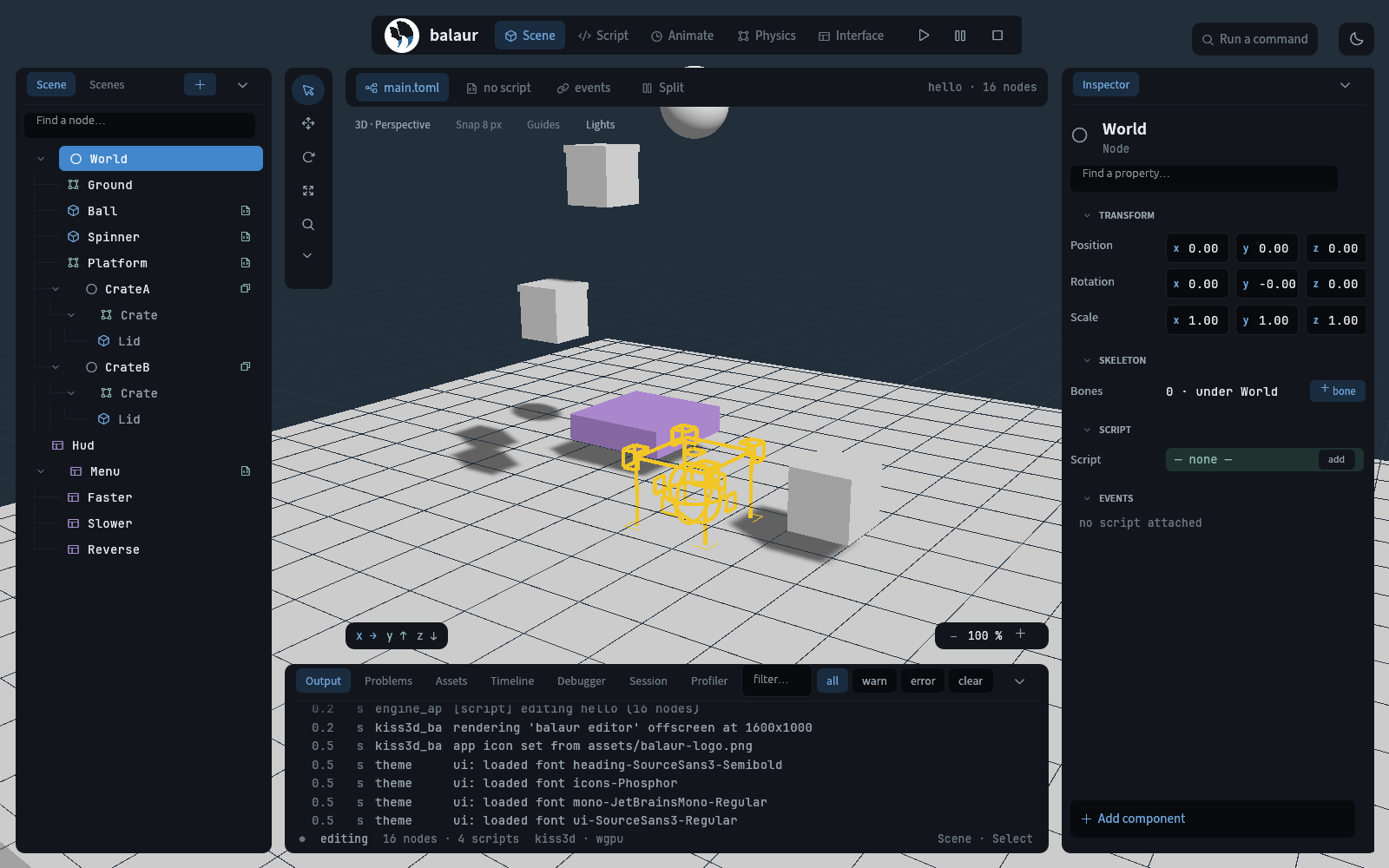
Run
Press Play in the editor, or run the project from a terminal:
balaur run my-gameEdit a script
- Switch to the Script workspace and open
scripts/hello.bs. - Save. The script reloads with its state kept.
Examples
The examples ship in the repository. Projects plays them in the browser, or starts a project from one to edit there.
balaur edit examples/hello         # 3D: a spinning cube, a bouncing ball, a HUD label
balaur edit examples/angrynerds    # 2D: a slingshot game with 2D physics and widgets
balaur edit examples/rig           # a 2D skeleton: a skinned leg, an arm on two-bone IK
balaur edit examples/rig3d         # a 3D rig imported from a .glb
From source
cargo run -p balaur_cli -- edit my-gameToolchain and packages: Build from source.
Next
- The CLI: every command and the three run modes.
- Scenes and nodes and Scripting.
- Balaur Script, the language, one concept a page.