


Animation
Animation in Balaur: clips and easings, crossfades and state machines, tweens, 2D bones with skinned polygons, 3D rigs from glTF, and IK.
På denne siden
One plugin, balaur_animation: one asset type (animation_library), one component
(animation), one script module, one system. Tracks address properties
through the component registry. The plugin depends only on the core and
animates the renderer and the UI.
For animators
Balaur for animators: bones, skinning, IK and the timeline, on the rig that ships in the game.
Clips
A clip is a length, a loop_mode (none | linear | pingpong) and a list of
tracks. It lives in its own file, inline in the scene node, or in a library
file under [clips.<name>], addressed file.toml#name.
# animations/platform.toml
type = "animation_library"

[clips.patrol]
length = 4.0
loop_mode = "pingpong"

[[clips.patrol.tracks]]
property = "position"      # position | rotation_euler | rotation | scale | <component>/<property>
interpolation = "linear"   # step | linear | cubic
keys = [
  { time = 0.0, value = [-2.5, 0.25, -2.0] },
  { time = 4.0, value = [-2.5, 0.25, 2.0], ease = "in_out_sine" },
]

[[clips.patrol.tracks]]
keys = [{ time = 4.0, call = "on_reached_end" }]   # a method track
# in the scene
[nodes.animation]
library = "animations/platform.toml"
autoplay = "patrol"- A track drives the transform or any registered component property:
shape3d/color,shape2d/radius,widget/x, third-party components included. - A track with no
propertyis a method track, calling a method on the node's script. - Rotation keys are authored as euler radians and interpolated as quaternions.
A
rotationtrack takes the quaternion itself; an imported model's clips use it.
The script module
self.node.animation.play("hop", animation::PlayOptions { speed_scale: 1.0 });
self.node.animation.pause();   // resume continues
self.node.animation.queue("wave");
self.node.animation.stop();    // animation::stop_tween(handle) ends a tween
A method track calls a method on the node's script by name, such as
on_reached_end().
Also seek, time, current_clip, is_playing and add_clip,
which builds a clip from a map at run time. is_tween_running(handle)
answers for a tween.
Every word a clip or a machine spells has a constant, such as
animation::LOOP_PINGPONG, animation::INTERPOLATION_CUBIC and
animation::EASE_OUT_BACK, so a script never spells one as a string.
Crossfades and state machines
blend_time on play blends out of the current clip over that many seconds. A
track only the old clip keys follows it out, and a fade started mid-fade
blends from where the last one had got to.
self.node.animation.play("run", animation::PlayOptions { blend_time: 0.2, ease: animation::EASE_IN_OUT_SINE });A state_machine asset names states, each a clip of the player's library,
and the transitions between them. The state_machine component runs one.
# animations/hero_machine.toml
type = "state_machine"
start = "idle"

[states]
idle = ""                # "" plays the clip named like the state
run = "run_cycle"

[[transitions]]
from = "idle"
to = "run"
advance_mode = "auto"    # disabled | enabled (travel only) | auto
condition = "moving"
blend_time = 0.2
# in the scene
[nodes.state_machine]
machine = "animations/hero_machine.toml"self.node.state_machine.set_condition("moving", true);
self.node.state_machine.travel("jump"); // the cheapest chain of transitions
let now = self.node.state_machine.current_state();- The node's script hears
on_state_started(state)andon_state_finished(state).state_startedis the same as an event. - A transition also takes
switch_mode(immediate | sync | at_end),easeorblend_curve,priority,resetandbreak_loop_at_end, as Godot's transitions do. check = "can_move"holds anautotransition until that method on the node's script answers true. It is Godot'sadvance_expression.- A state can be a machine of its own, a table under its name. Its states are
move/walkand so on, and a transition frommoveleaves from any of them. - A transition to
endstops the machine until the nexttravelorjump. jumpcuts to a state with no fade.balaur importconverts anAnimationTreewhose root is a state machine, nested machines and expressions included. Blend trees are not supported.examples/rigcrossfades a wave and a bow with no script.
Tweens
A clip generated from the node's current values, run through the same sampler and fixed step.
let steps: [any] = [
    { "property": "position", "to": [0.0, 3.0, 0.0], "duration": 0.5, "ease": animation::EASE_OUT_BACK },
    { "property": "shape3d/color", "to": [1.0, 0.0, 0.0, 1.0], "duration": 0.5, "parallel": true },
    { "call": "on_landed" },
];
animation::tween(self.node, animation::Tween { steps: steps });| Key | What it does |
|---|---|
to, by, from |
absolute, relative, explicit start |
target |
tween another node |
parallel |
join this step to the one before it |
interval, call |
sequence among the property steps |
- Steps run in order.
- The spec is data: it serialises, the editor authors one, and it hot reloads.
- Easing is eleven transitions in four modes, with Godot's names and shapes, and a bare
linear.
The Animation workspace
- The timeline's lanes are the selected clip's tracks. The ruler scrubs the node's player.
- Preview goes through the engine's parser.
- Save to file and Embed move a clip between its own file and the node.
- Keying a bone writes a rotation track on the character's clip. A skinned polygon deforms as the clip plays.
- The State machine dock edits the selected node's
state_machine: its states, their clips, and each transition's fields. It writes back to the scene or to the machine's own file, and shows the live state while the game runs.
Skeletons and skins
A bone is a node with a rest pose: bone2d in 2D, bone3d in 3D. A skin is a
polygon: a textured 2D polygon whose mesh carries bone weights. A clip on
the character keys its bones by path.
[[nodes]]
name = "Thigh"
parent = "n_hip"
transform = { position = [0, 0.85, 0] }
bone2d = { rest_position = [0, 0.85], rest_rotation = 0.0 }

[nodes.polygon]                       # on a sibling node
texture = "art/limb.png"
skeleton = ".."                       # the rig root; bones are its descendants

[nodes.polygon.mesh]                  # a `mesh` asset, inline
positions = [[-0.4, 0], [0.4, 0], [0.4, 0.85], [-0.4, 0.85]]
[[nodes.polygon.mesh.skin.bones]]
path = "Hip/Thigh"
weights = [0, 0, 1, 1]- The outline is ear-clipped.
internalvertices and hand-drawnpolygonscontrol the triangulation. - UVs default to the texture centred on the node at
pixels_per_unit. - Skinning runs on the GPU from a joint palette computed off the scene tree. A headless run computes the same palette; bones are in the determinism digest.
skeleton::apply_rest(node),skeleton::overwrite_rest(node)andskeleton::bones(node)are the whole module.
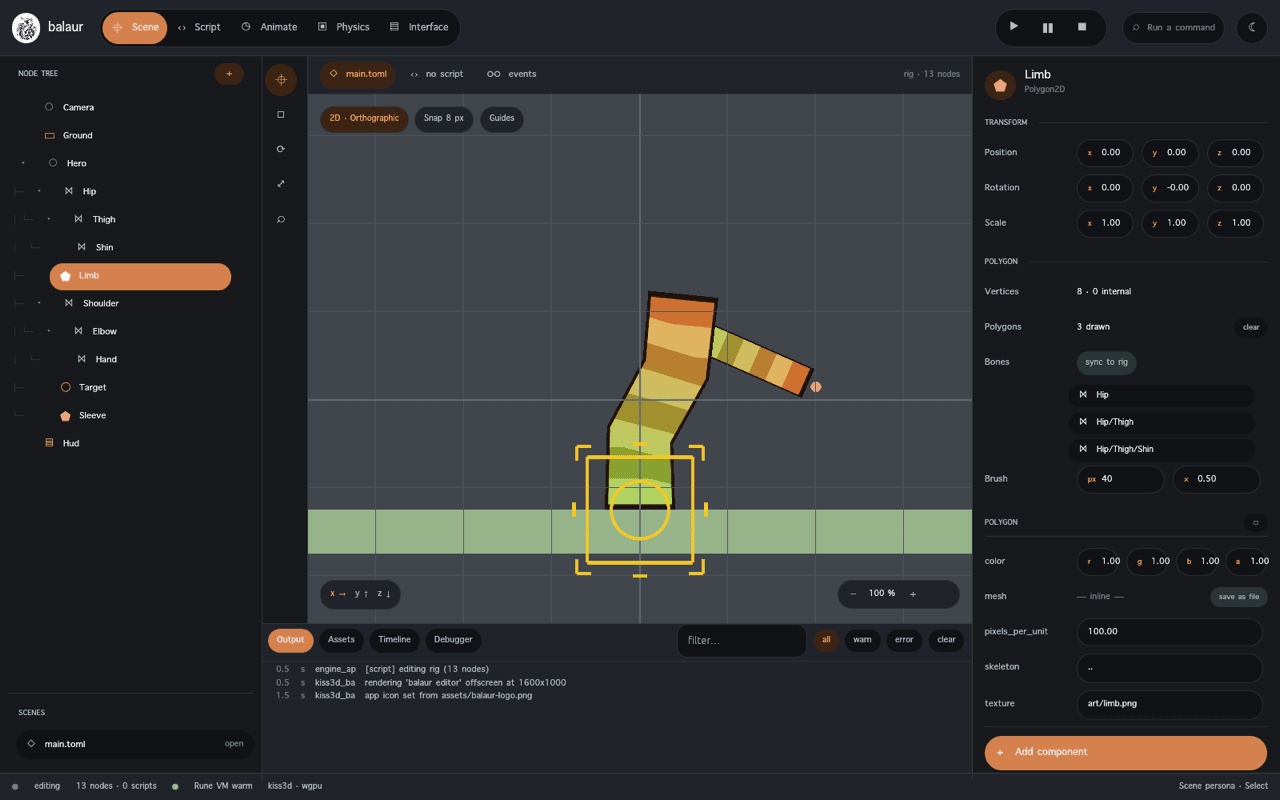
Tools
| Tool | What it does |
|---|---|
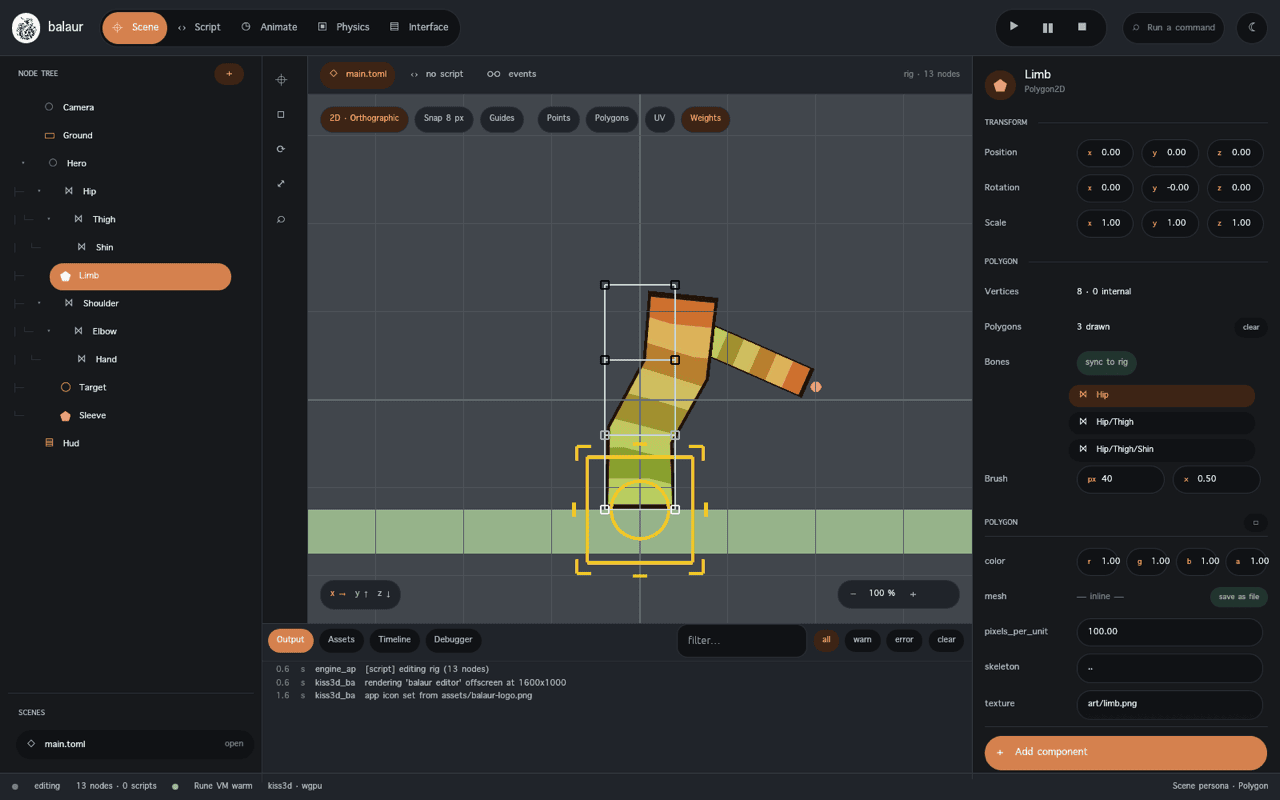
| Rig bone | Bones as diamonds in 2D and octahedra in 3D: click to select, drag to pose, + bone grows a child from the selection |
| Polygon · Points | Outline and internal vertices |
| Polygon · Polygons | The triangulation by hand |
| Polygon · UV | The points placed over the texture |
| Polygon · Weights | Bone influence painted with a brush |
The polygon stays skinned during editing. The inspector's Skeleton section has the two rest-pose verbs.
Modifiers
A modifier2d runs after the clip every frame. modifier3d is the same five
kinds over bone3d.
kind |
What it does |
|---|---|
look_at |
Turns one bone so it points at a target node. |
two_bone_ik |
Bends a root, middle and tip chain so the tip reaches the target; flip_bend_direction picks the bend side. |
fabrik |
Reaches with a chain of any length. Converges from any pose. iterations, tolerance. |
ccdik |
The same reach, one bone at a time. The only kind with an angle_limit per bone. |
jiggle |
No target: a spring per bone toward the clip's pose. stiffness, damping, mass, gravity, use_gravity. |
chain_count says how many bones a chain solver walks, counting the driven one.
Zero walks to the deepest tip.
[nodes.modifier2d]
kind = "two_bone_ik"
bone = "Shoulder"
target = "Target"
A camera that trails a node is the library's scripts/follow.bs, which the
camera rigs use. It moves its node to the target plus offset, lag seconds
behind, with node.transform.set_global_position.
# A camera that trails the player a fifth of a second behind.
[nodes.script]
source = "scripts/follow.bs"

[nodes.script.props]
target = "../Player"
lag = 0.2
offset = [0, 3, 8]
# The plume in examples/rig: nothing keys it, and it moves anyway.
[nodes.modifier2d]
kind = "jiggle"
bone = "Hip/Thigh/Shin/Plume"
stiffness = 26.0
damping = 0.32
use_gravity = true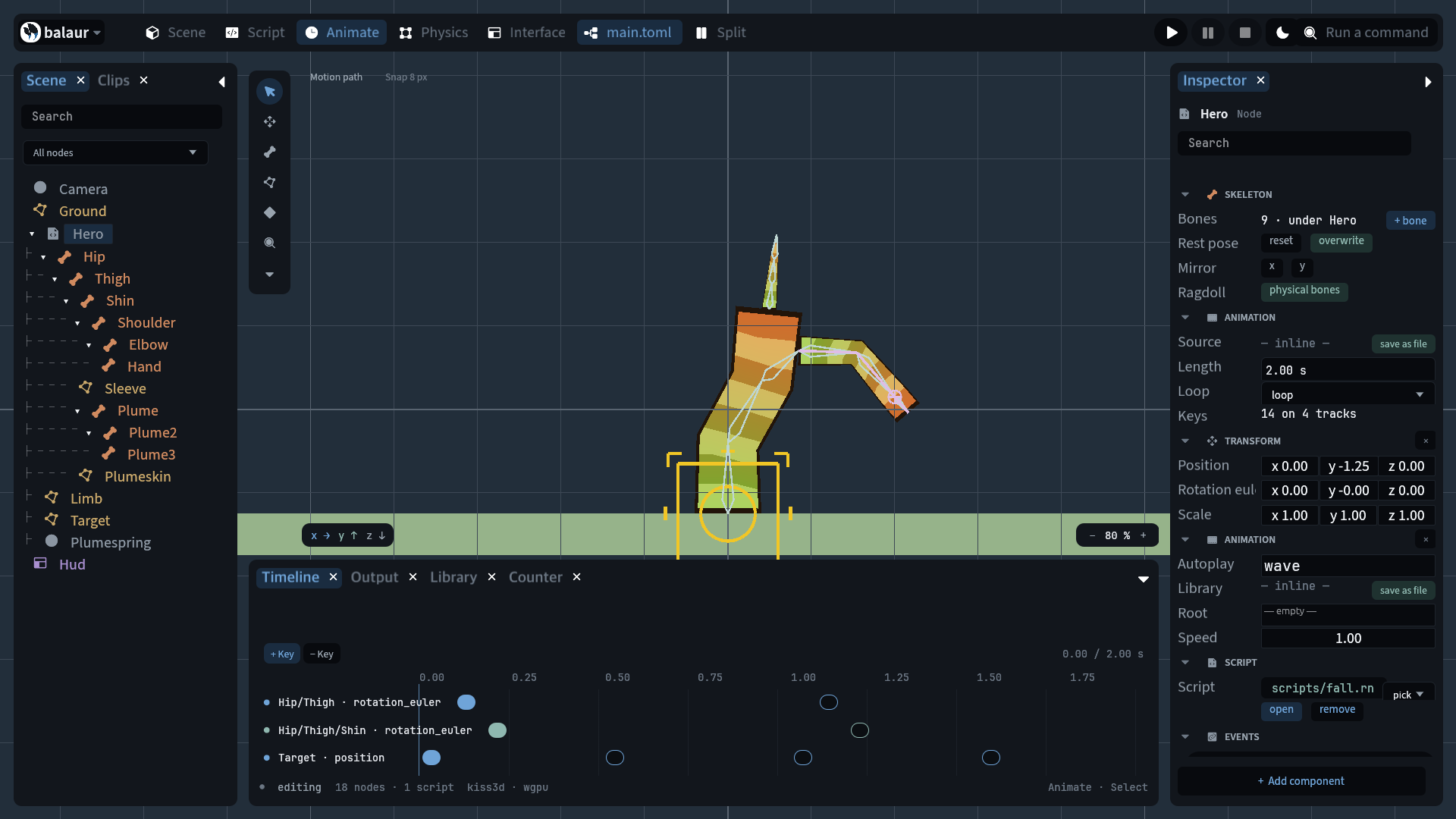
The viewport draws the chain a modifier solves, a dashed line to the target
and a handle that drags the target node. A chain_count of two draws two bones.
Free-form deformation
A polygon/deform track keys an [dx, dy] offset per vertex, added to the
authored positions before skinning: a mouth, a cape edge or a breathing
outline. Spine calls it free-form deformation.
type = "animation_library"

[clips.breathe]
length = 1.0

[[clips.breathe.tracks]]
target = "Limb"
property = "polygon/deform"
keys = [
  { time = 0.0, value = [0, 0, 0, 0] },
  { time = 1.0, value = [-0.09, 0, 0.09, 0], ease = "in_out_sine" },
]- The one track with more than four numbers per key.
- In Points mode with the Animation workspace armed, dragging a vertex moves the offset.
- The inspector's Deform · key row writes it at the playhead.
Retargeting
A bone_map asset pairs canonical bone names with one rig's node paths. A
clip authored for a different skeleton plays through it.
type = "bone_map"

[bones]
Hips = "Armature/Hips"
Spine = "Armature/Hips/Spine"
let hero = scene::get_node("World/Hero");
hero.animation.play("walk", animation::PlayOptions { retarget: "animations/hero.bonemap.toml" });- Each track's target is renamed through the map before the pose is written.
- A rotation key is read as a turn away from the profile's rest and applied to this rig's.
- A position key is scaled by how much longer this rig's bone rests.
- A track the map does not name keeps its authored path.
skeleton_profilenames the canonical skeleton. Leaving it out uses the built-in humanoid.
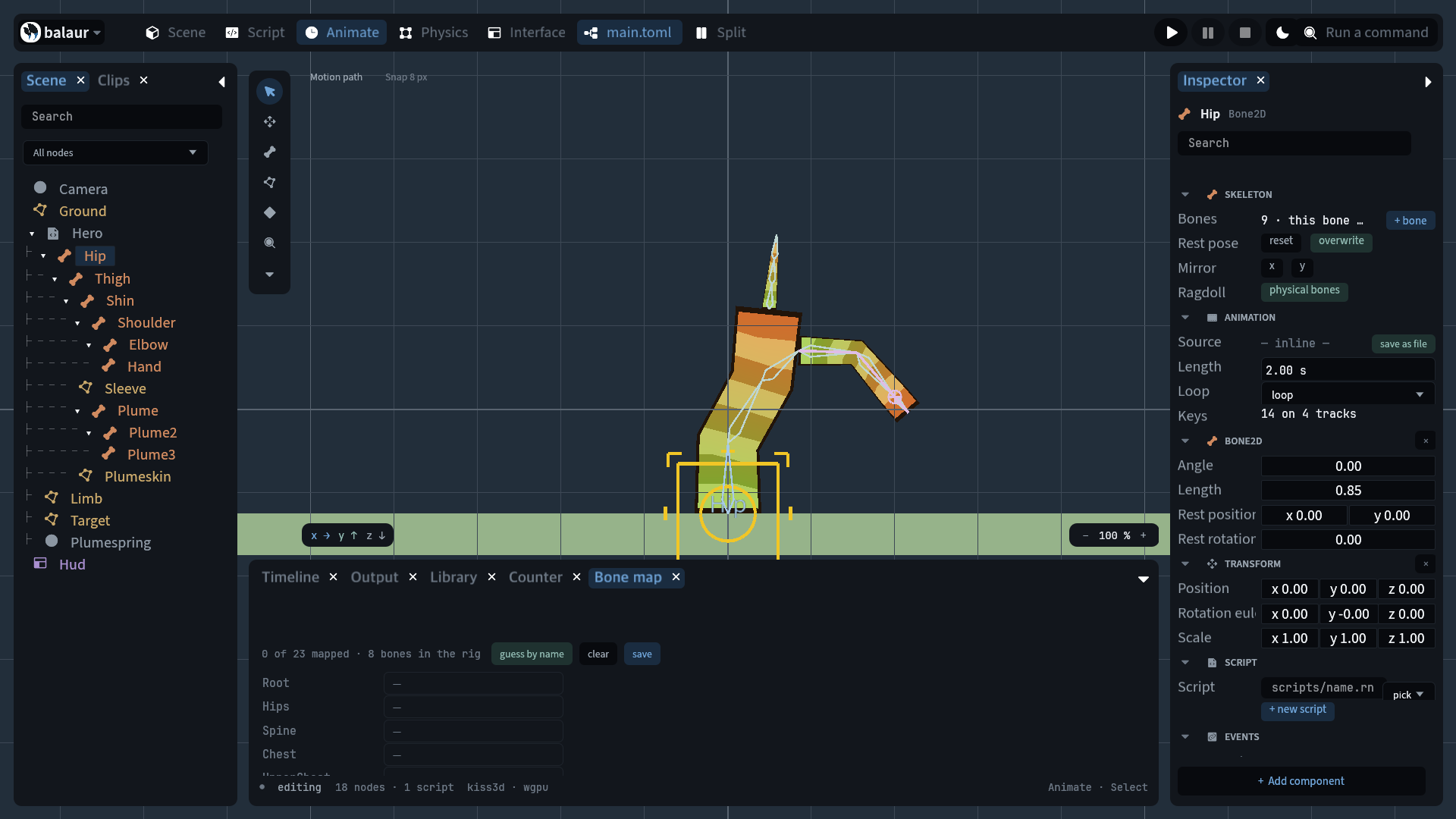
The Bone map dock fills rows by name and writes the asset. Matching ignores
case, separators and an exporter's prefix: LeftUpperArm finds
mixamorig:LeftUpperArm.
Weights, mirroring and tracing
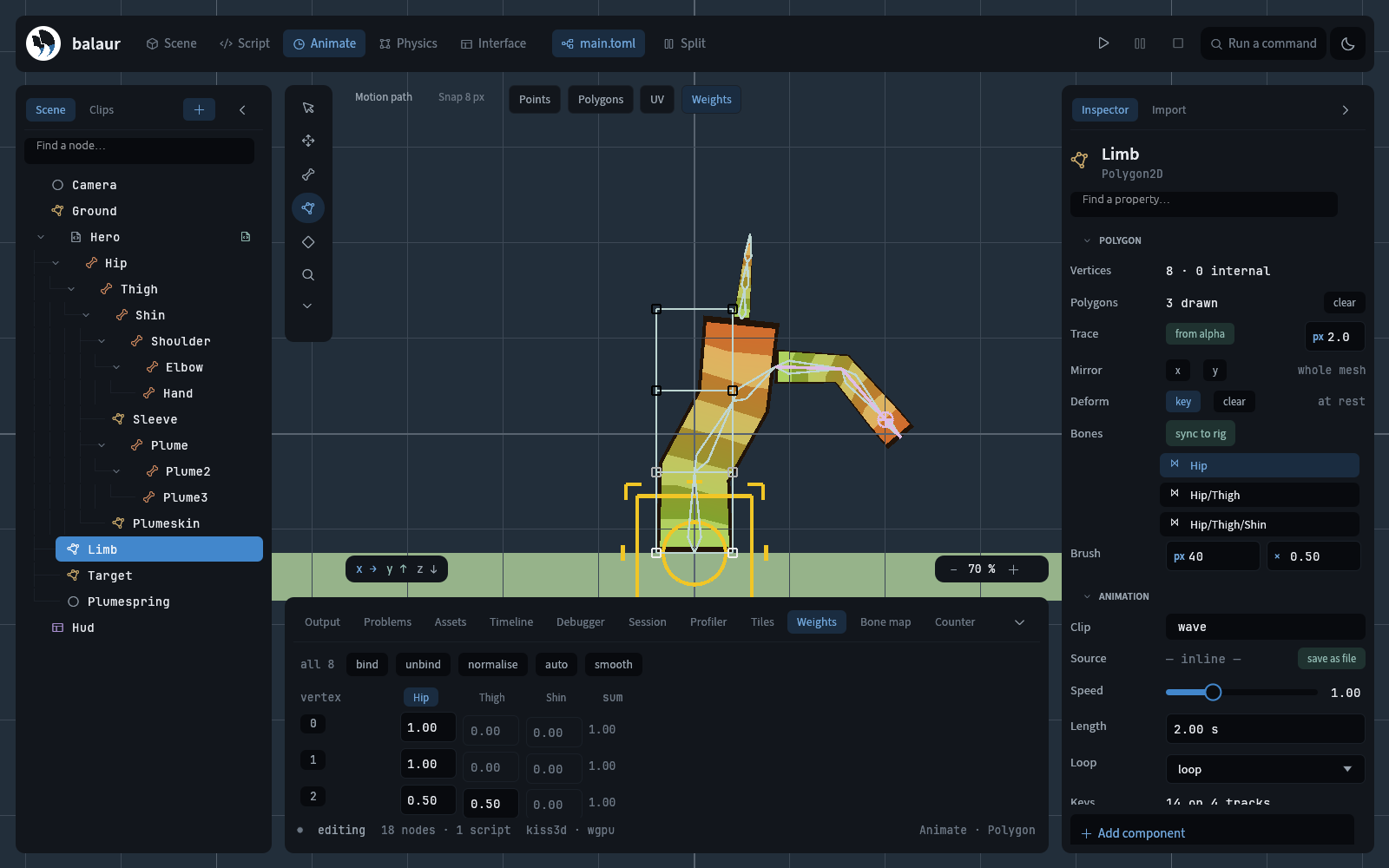
| Verb | What it does |
|---|---|
| Weights dock | Picked vertices, one editable weight per bone, a per-vertex sum that goes red when it is not one |
| Bind, Unbind, Normalize | On the picked vertices |
| Auto | Weights by distance to each bone's segment |
| Smooth | Average with the vertices sharing an edge |
| Mirror (Rig) | Reflects every bone's rest over x or y, and hands each rest to the bone whose name differs by a side: Arm_L to Arm_R, left_hand to right_hand |
| Mirror (Polygon) | Reflects the picked vertices and swaps the weights the same way |
| Trace | Walks a texture's alpha at a threshold and writes the outline as points, simplified to a tolerance in pixels |
Ragdolls
physics2d::ragdoll(node, opts) walks a rig into a body and a capsule per
bone, hinged to its parent's, and leaves a ragdoll component.
let axis: any = { "axis": physics2d::AXIS_ROTATION, "limits": [-0.7, 0.7] };
physics2d::ragdoll(self.node, physics2d::RagdollOptions { influence: 0.0, thickness: 0.22, axes: [axis] });
// … and later, to fall over:
self.node.ragdoll.set_ragdoll_influence(1.0);influencemoves each bone from the pose the clip wrote toward its body's.- At
0the clip drives and the bodies simulate unseen. At1the rig is limp. - The bodies are nodes with
body2d,collider2dandjoint2d: inspectable, undoable and saved with the scene. axestakes jointaxesrecords: limits, and a motor on any turn.drive: "motors"holds every turn to the built pose.drive: "follow"puts afollow2don every body, aimed at its bone, so the bodies chase the clip.- The editor's Skeleton · Ragdoll row is this call, and
physics3d::ragdollis the 3D twin.
3D rigs
balaur import model.glb --project my-game- Copies the model under
models/, writes its joint hierarchy as a scene withbone3drest poses and onemeshnode, and its animations as a clip library. All TOML. - A
.gltfwith its.binand textures beside it imports the same way. - The mesh is skinned every frame from the scene tree. The same clips, rest verbs and bone gizmos apply.
- The joint palette goes to a vertex shader. A 3D rig deforms on the GPU; the mesh's buffers are untouched.
- A node naming a
materialasset, or a frame under a shader channel view, uses the CPU path: those shaders draw againstpackage::mesh. The shader's blend is@const. A headless test checks it against the CPU reference.
examples/rig is one figure with four kinds of rigging: a clip keying bone
rotations, two-bone IK reaching a moving target, a jiggle plume, and a
polygon/deform breathing outline. It falls into a ragdoll every few seconds.
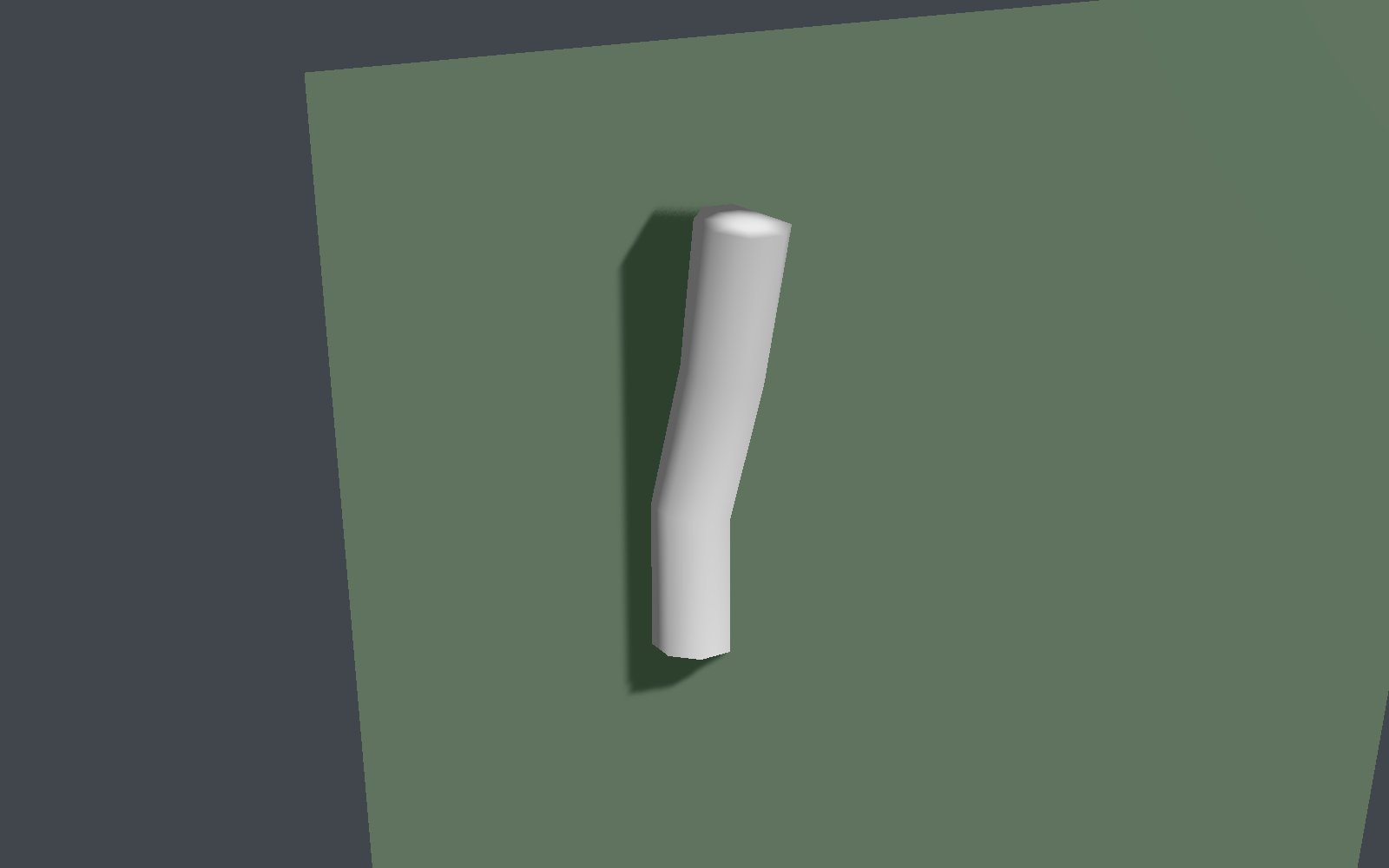
examples/rig3d is an imported column.
Determinism and scheduling
- Playback advances on its own fixed 1/60 accumulator.
- Every transcendental (easing, euler to quaternion, slerp) runs on
libm, bit-identical on every platform. - The system runs after the script tick. A
playtakes effect the same frame. - It runs before physics reads transforms. An animated kinematic platform
pushes what stands on it (
examples/hello).