

 Polski
Wstecz
2D & 3D bone animation for games, in the engine
Bones, mesh skinning with painted weights, two-bone IK and look-at, a timeline with keys, all on the rig that ships in the game. Free, MIT, 2D and 3D.
For animators — the Animation workspace.
Bones and mesh skinning with painted weights.
Open examples/rig → · Animation manual →
Features
- Bones and sprites. A bone is a node with a rest pose; a sprite is a textured polygon with painted weights.
- Pose with inverse kinematics. Drag a target and the limb follows, then key the target.
- A timeline with keys. Position, rotation, scale or any component property, with twelve easings and method tracks.
- 3D rigs from glTF.
balaur import model.glbwrites the joints, the mesh and the animations.
Components
Build everything with nodes and components.
type = "animation_library"

[clips.patrol]
length = 4.0
loop_mode = "pingpong"

[[clips.patrol.tracks]]
property = "position"
interpolation = "linear"
keys = [
  { time = 0.0, value = [-2.5, 0.25, -2.0] },
  { time = 4.0, value = [-2.5, 0.25, 2.0], ease = "in_out_sine" },
]

[[clips.patrol.tracks]]
keys = [{ time = 4.0, call = "on_reached_end" }]
A bone is any node carrying bone2d or bone3d, so the tree is the rig and the same clip keys bones by path.
Animations are keyframes that say when a property needs to change, and how.
The editor
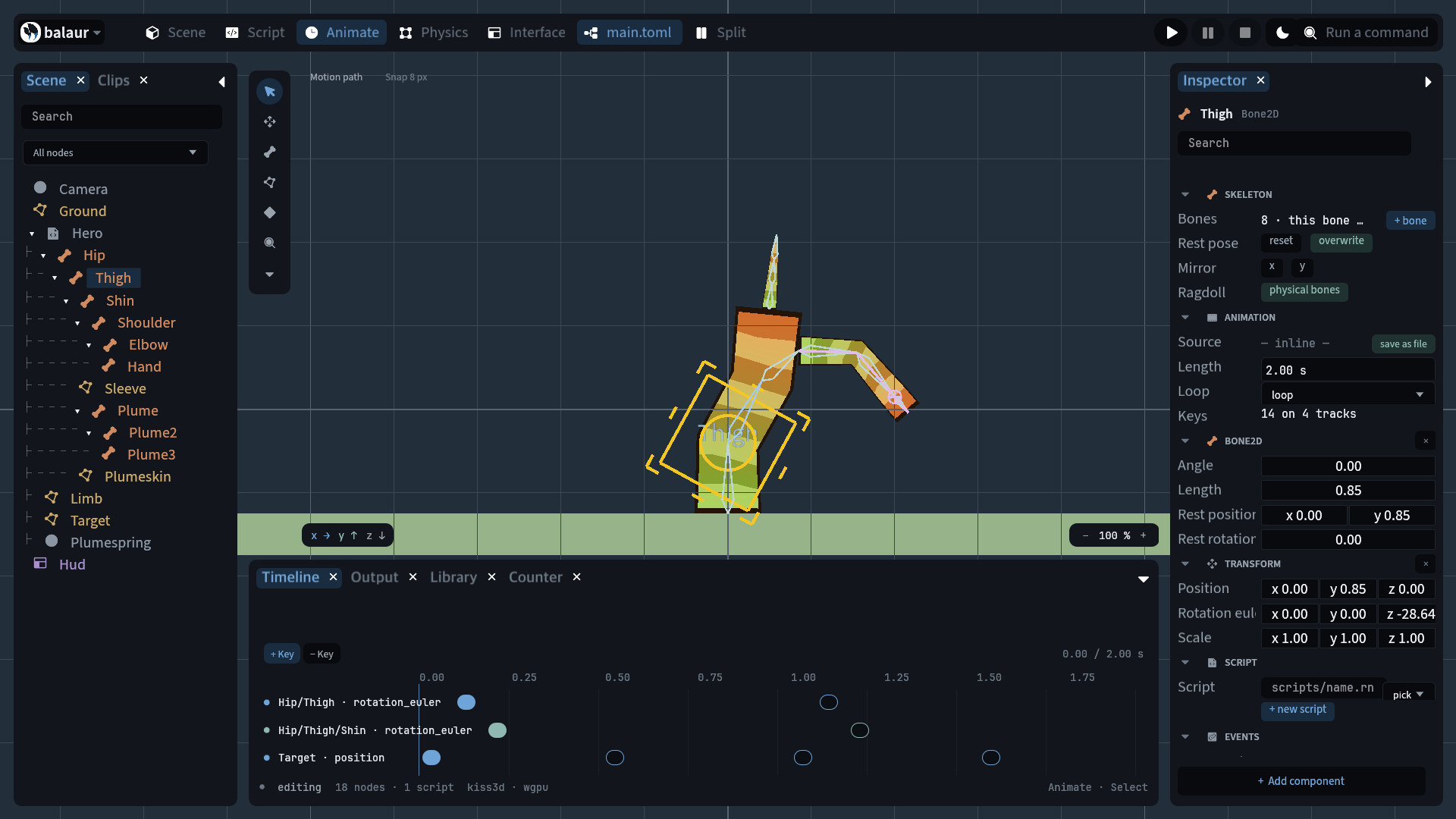
Edit the bones, sprites and see the timeline in one screen.
- Bone tool. Place bones in the viewport, each a node in the tree.
- Polygon tool. Draw the polygon, then paint how much each bone moves each vertex.
- Timeline dock. Animate, key, and play the clip in the editor.
Compare
Animation features compared to other tools.
| Spine | Balaur | |
|---|---|---|
| Mesh deformation | Mesh skinning with weights | Mesh skinning with weights |
| Posing | Full IK, transform and path constraints | Full IK, transform and path constraints |
| Price and licence | Per-seat licence, starts at $69 | Free, MIT |
| Maturity | More than a decade | Very new |