


Terug
· 2 min leestijd
Lists, trees and tables
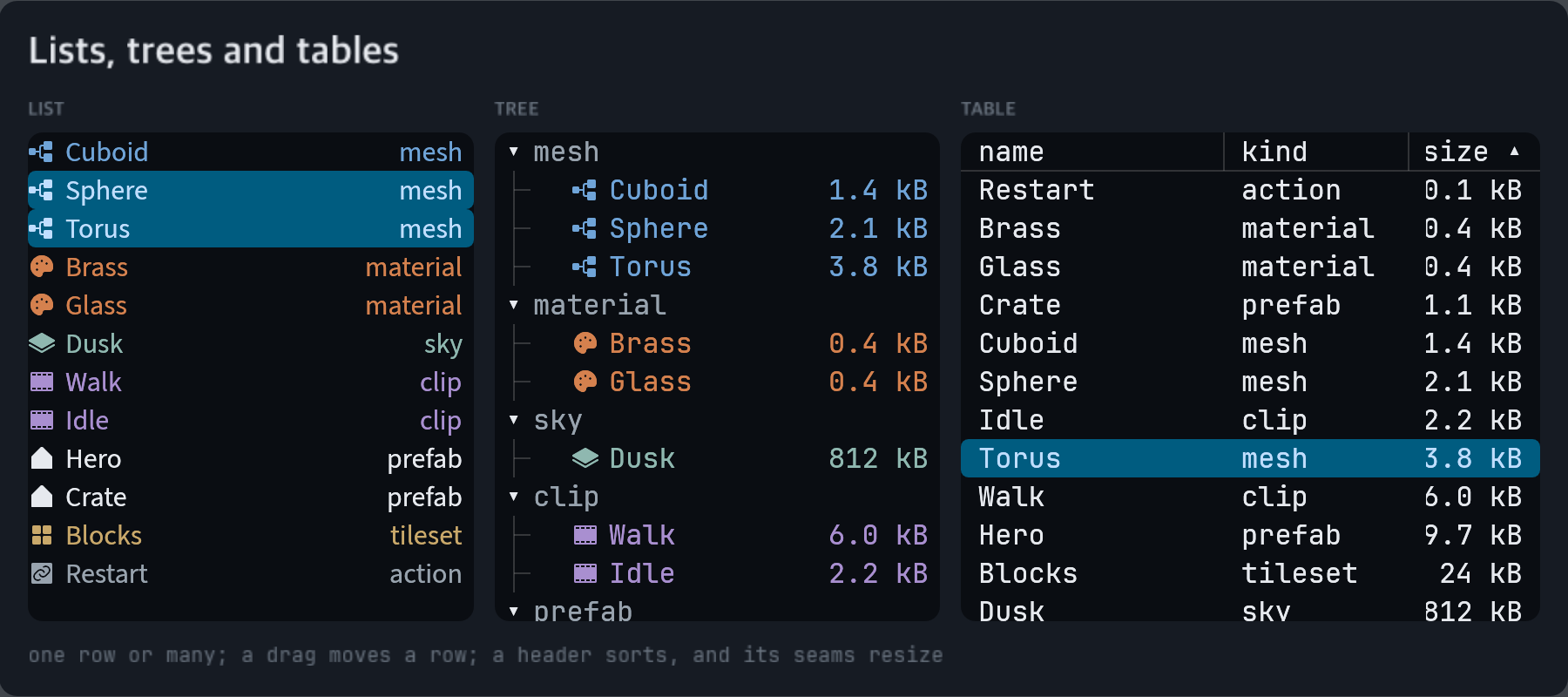
Rows in a scene: a list or tree holding many rows, a table with named columns a drag resizes, and only the rows on screen ever built.
- Dragos Balaur
The three row kinds hold many rows now, a table has columns a drag resizes,
and none of them builds a row the box does not show.
multilets alist,treeortablehold more than one row. The platform's command key toggles a row, shift takes the run from the last one clicked, andselectionis what the widget holds.on_changehears the whole selection where the widget holds many, and the row where it holds one. A widget withoutmultibehaves as it always did.- A
table'splaceholdernames its columns, split on the separator its rows are. A name ending in>draws its column against the right edge, which is what a column of numbers wants. - Each column's width is a share the seam in the header drags, held per table, so a rebuild of the rows leaves the widths where you put them.
- A row may carry an
#rrggbbpast its last cell, the way a list row carries its own colour. - A secondary click picks the row it lands on, so a
contextmenu acts on what it opened over. A row already picked keeps the set it is in. - The
tableplaces its body by arithmetic now, aslistandtreealready did: 2,000 rows cost a screenful. No crate was added for any of it.
The editor eats it. Its Profiler and Cost docks were padding numbers into a
monospace string to fake columns, and both are table nodes now. The
outliner's search view moved onto the same tree node the unfiltered one
already used, and a right click on a row opens the node's own menu.
The picture above is one scene of widget nodes, with no drawing code behind it.
The rest is on the roadmap.