Scenes and nodes
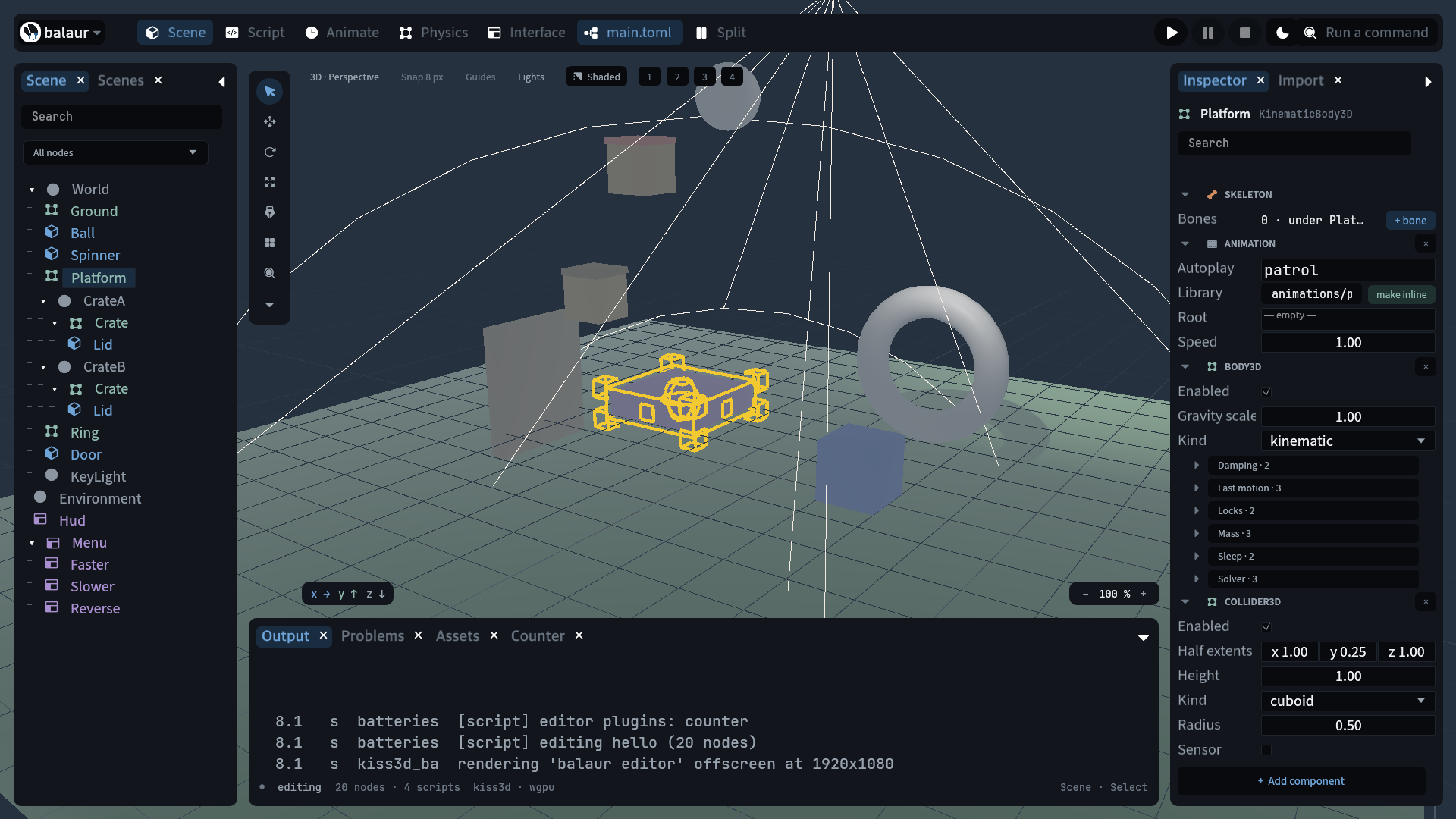
Nodes are entities
A node is an ECS entity with Name, Parent, Children and
GlobalTransform.
transformis a component like any other. A node without one sits at its parent.- Node paths (
"A/B/C"), transform propagation and recursive free are core systems. - Plugins add their own components to the same entities.
- Scripts reach the tree through 30 node operations:
get_node,parent,children,add_child,set_parent,queue_free,global_position,translate,attach_script, and the component operations.set_parentkeeps the world pose. - Paths accept
..:../Targetis a sibling. The full list is in the script modules reference. queue_freeand other structural changes apply at the end of the frame.
Scene files
A flat list of [[nodes]] entries with name, an optional parent by id,
script, and one key per component.
[[nodes]]
id = "n_ball"
name = "Ball"
parent = "n_world"
script = { source = "scripts/ball.rn" }
body3d = { kind = "dynamic" }
collider3d = { kind = "sphere", radius = 0.5 }
shape3d = { kind = "sphere", radius = 0.5 }

[nodes.transform]
position = [0, 6, 0]
rotation_euler = [0, 1.5708, 0]   # radians
scale = [1, 1, 1]
- Node keys:
id,name,parent,tags,script,instance,overrides,visible,tint,z_indexandz_as_relative. Every other key is a component. - A component is written inline (
shape3d = { ... }) or as its own table ([nodes.transform]). - Scene keys apply in plugin registration order.
- At run time,
scene::instantiateplaces a scene andnode.add_childmakes a node.
Prefabs
A prefab is a scene file. instance on a node places one, and the file's
roots become that node's children.
[[nodes]]
id = "n_crate_b"
name = "CrateB"
instance = "scenes/crate.toml"
transform = { position = [-0.5, 5, 1.5] }

[nodes.overrides."Crate/Lid".shape3d]
color = [0.9, 0.3, 0.25, 1]
- The node keeps its own name, transform and components. Moving it moves the whole prefab.
overridesis keyed by path from the instance node and holds scene keys: components,transform, and ascriptwhosepropsmerge over the prefab's.- An override patches one property and leaves the rest of the component alone.
- Ids inside an instance are prefixed by the instance's own
(
n_crate_b/n_lid). - A prefab that contains itself is an error naming the cycle.
In the editor:
- A prefab is placed from the command palette, one command per scene file.
- An instance's nodes appear in the tree one shade quieter.
- Editing one writes an override. Setting it back to the prefab's value removes the override.
- Adding or deleting a node inside an instance is refused, with the prefab offered to open instead.
Components
Plugins declare named, schema-described components. A property's type is
one of float, bool, string, enum, vec2, vec3, color or asset,
with a default, enum options and a readonly marker. A malformed schema fails at
boot naming the component and property.
One registration gives:
| The scene-file key | collider3d = { kind = "sphere", radius = 0.5 } |
| The runtime API | Every property as a field on the node's handle (node.collider3d.density = 15.0), plus node.set_component, patch_component, get_component, has_component, remove_component, component_names, scene::component_types() and scene::component_schema(name) |
| Editor support | The Add component palette and the property inspectors, generated from the registry |
| Component | Plugin | Purpose |
|---|---|---|
transform | core | Position, rotation and scale in the parent's space |
body3d, collider3d | physics | 3D rigid body and collider (rapier3d) |
body2d, collider2d | physics | 2D rigid body and collider (rapier2d) |
shape3d, shape2d | render | 3D / 2D primitive with a color |
sprite, tilemap, tile_collision, particles | render, physics | Textured 2D quad; a tile grid over a tileset, autotiled and collided as one shape; a particle emitter |
mesh | render | An OBJ or glTF mesh, optionally skinned to a skeleton |
boolean3d, boolean2d | render | The node's children joined, cut out of one another, or overlapped |
cloner | render | The node's subtree drawn many times, one draw call per mesh |
polygon | render | A textured 2D polygon, GPU-skinned to a rig |
camera | render | The 2D or 3D camera |
bone2d, bone3d | core | A rest pose; a node with one is a bone |
modifier2d | anim | look_at or two_bone_ik on a rig, run after the clip |
animation | anim | A clip library (by reference or inline) and an autoplay clip |
sound | audio | A sound file with volume and looping |
widget | ui | HUD element (label / button / panel) anchored to the screen |
- No class hierarchy. A node is whatever its components make it.
- A tagged-union property is always
kind(kind = "sphere").typealways means the datatype. - The generated component reference lists every component with every property, default and option.
Objects
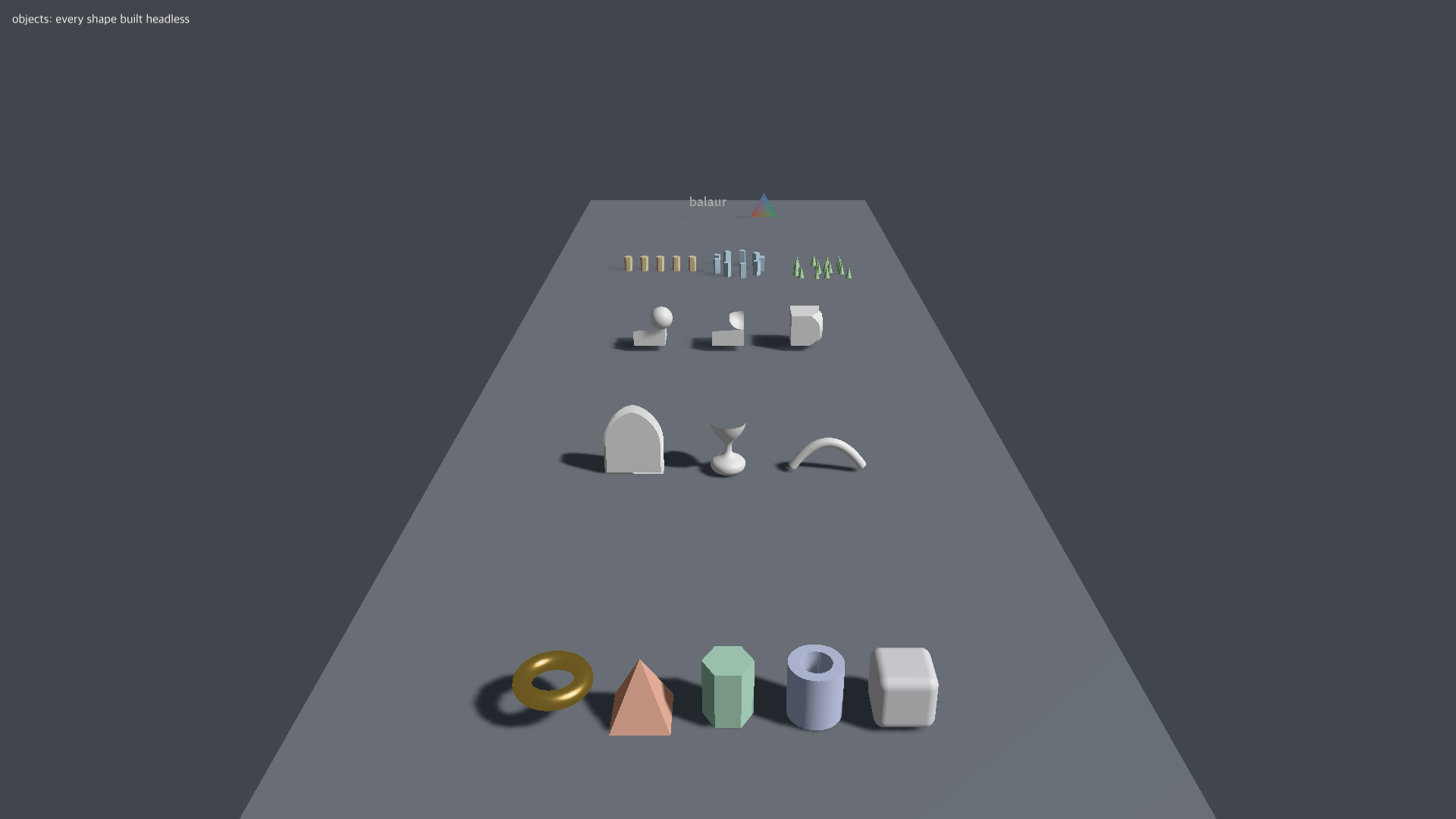
Every shape the engine draws is a mesh, built without a GPU. A collider fits it, a ray picks it, and a headless test measures it.
[[assets]]
id = "blade"
type = "mesh"
source = "models/blade.glb"   # a model file...
kind = "torus"                # ...or a primitive, with its own knobs...
kind = "text"                 # ...or a word, shaped from the project's fonts...
kind = "extrude"              # ...or a path given thickness
positions = [[0, 0, 0]]       # ...or the vertices themselves
- 3D primitives:
sphere,box,capsule,cylinder,cone,plane,torus,pyramid,prism,tube. - 2D primitives:
circle,rectangle,capsule,ellipse,star,ngon. sizeis the whole extent along each axis, as a collider's is. A capsule'sheightruns tip to tip.shape3dandshape2ddraw them. Ameshasset is for when a collider, a boolean or a script needs the triangles.
Paths
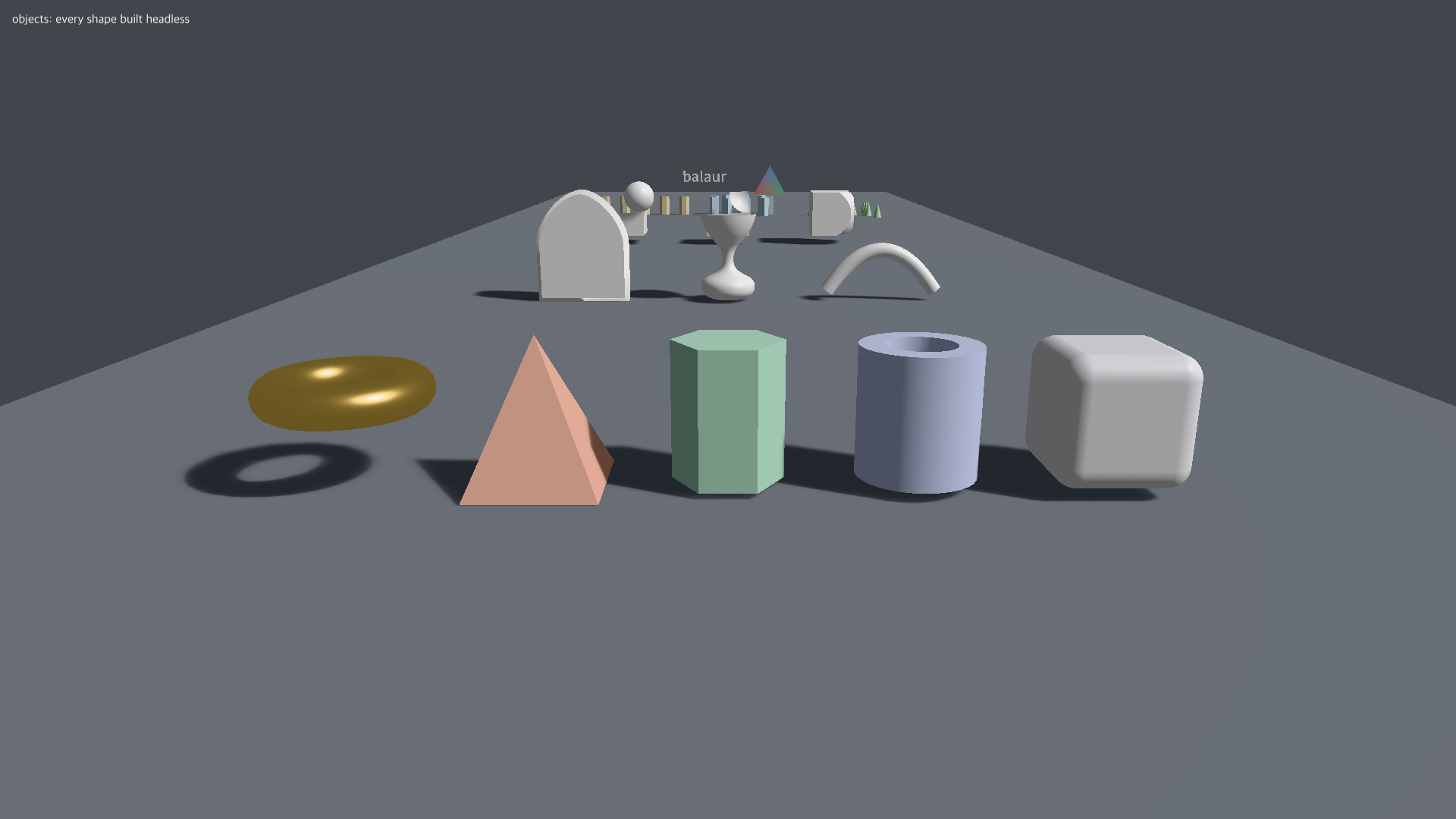
[[assets]]
id = "arch"
type = "mesh"
kind = "extrude"
path = "#outline"
depth = 0.5
bevel = 0.08
| Kind | What it makes |
|---|---|
path2d, path3d | A run of cubic control points with a closed flag |
extrude | A closed outline given thickness, with an optional bevel |
lathe | A profile revolved around y |
sweep | A cross-section carried along a rail |
A shape2d polyline whose mesh names a path2d strokes it. Its join,
cap, miter_limit and taper set how the stroke turns a corner, how it ends
and how it narrows along its length.
Booleans and cloners
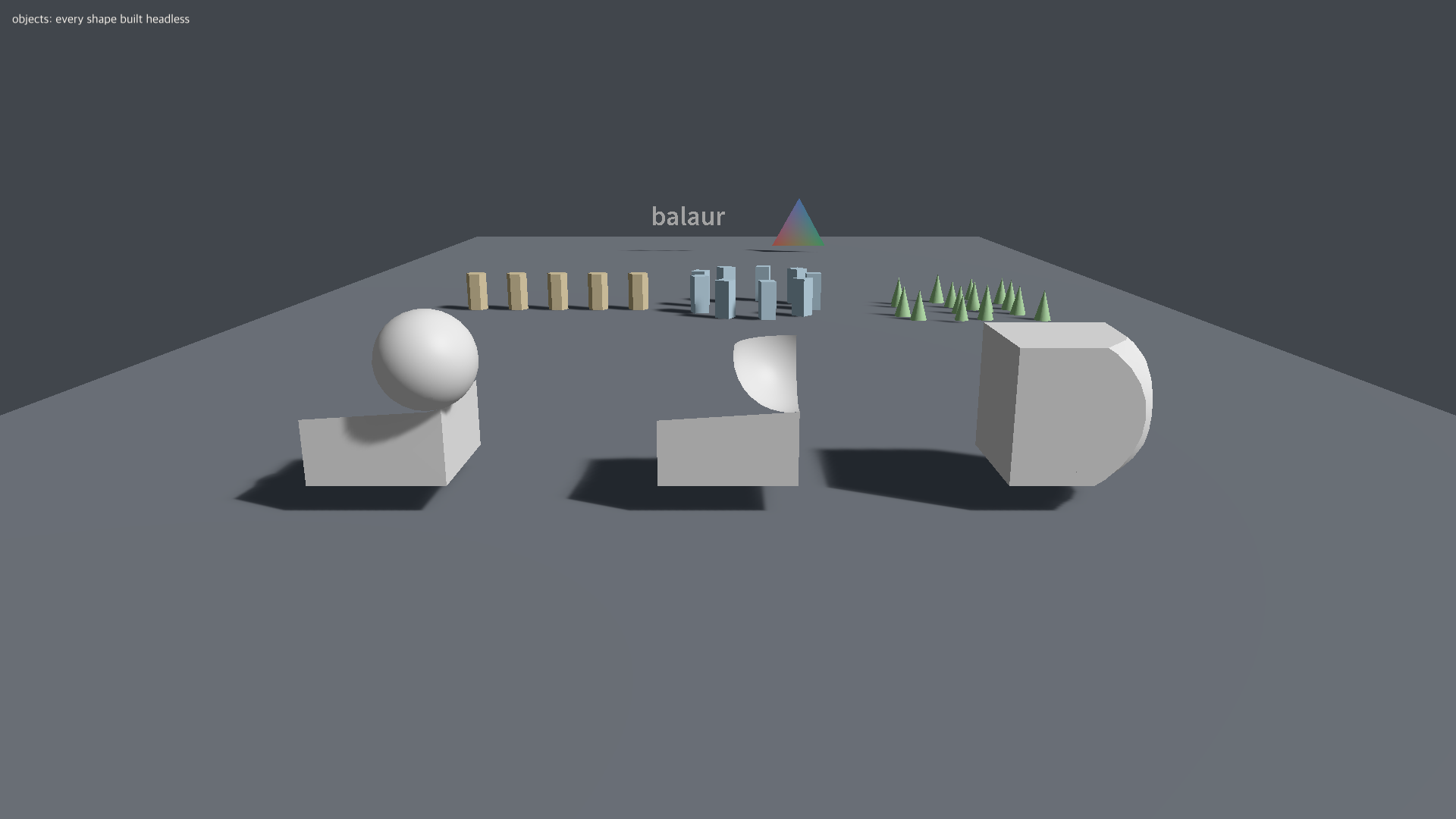

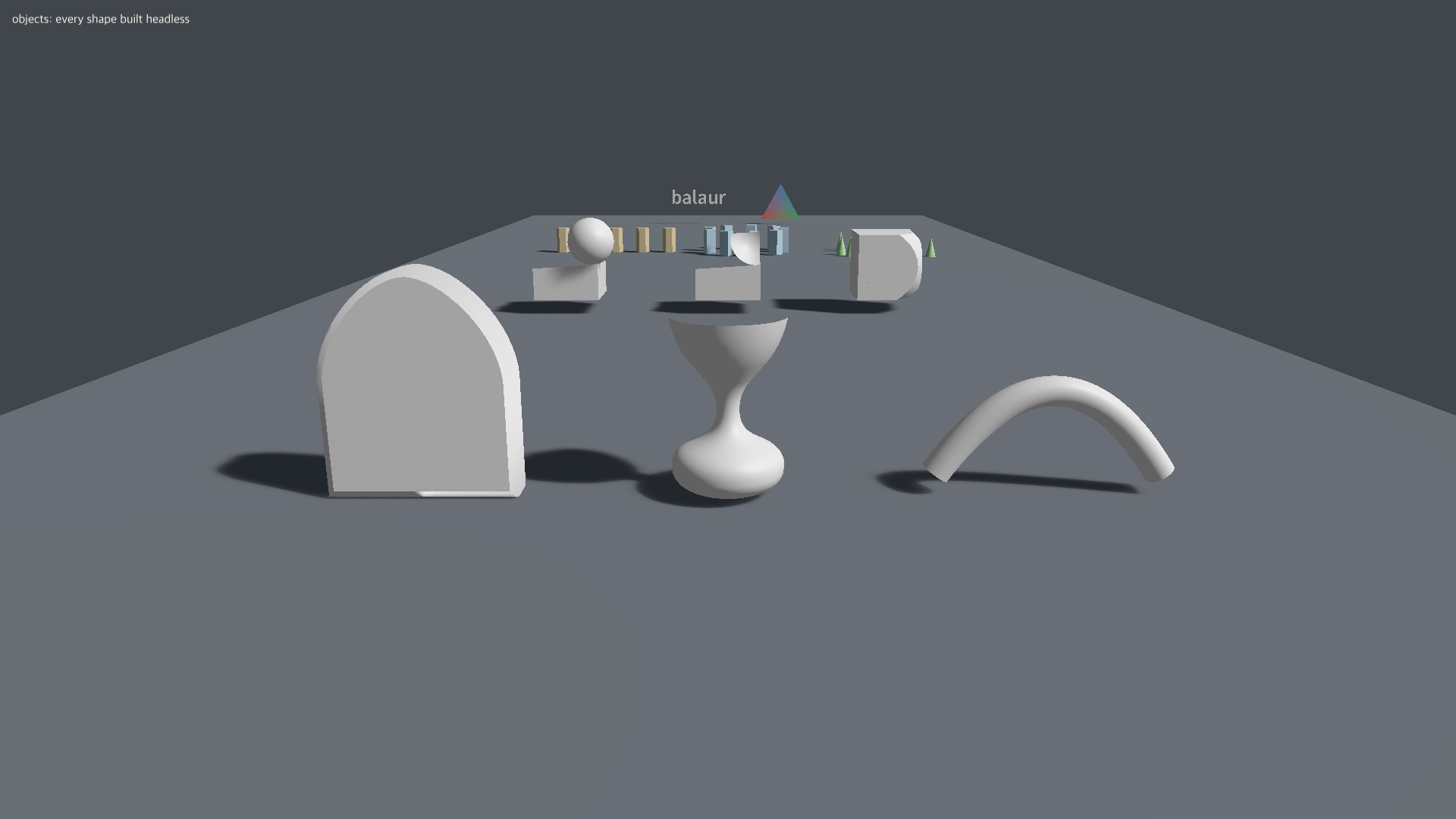
boolean3ddraws a node's children joined, cut out of one another, or only where they overlap:operationisunion,differenceorintersection, applied in declaration order.boolean2dis the same over filled outlines.- The operands stay in the tree, hidden and editable. Moving one recomputes the result.
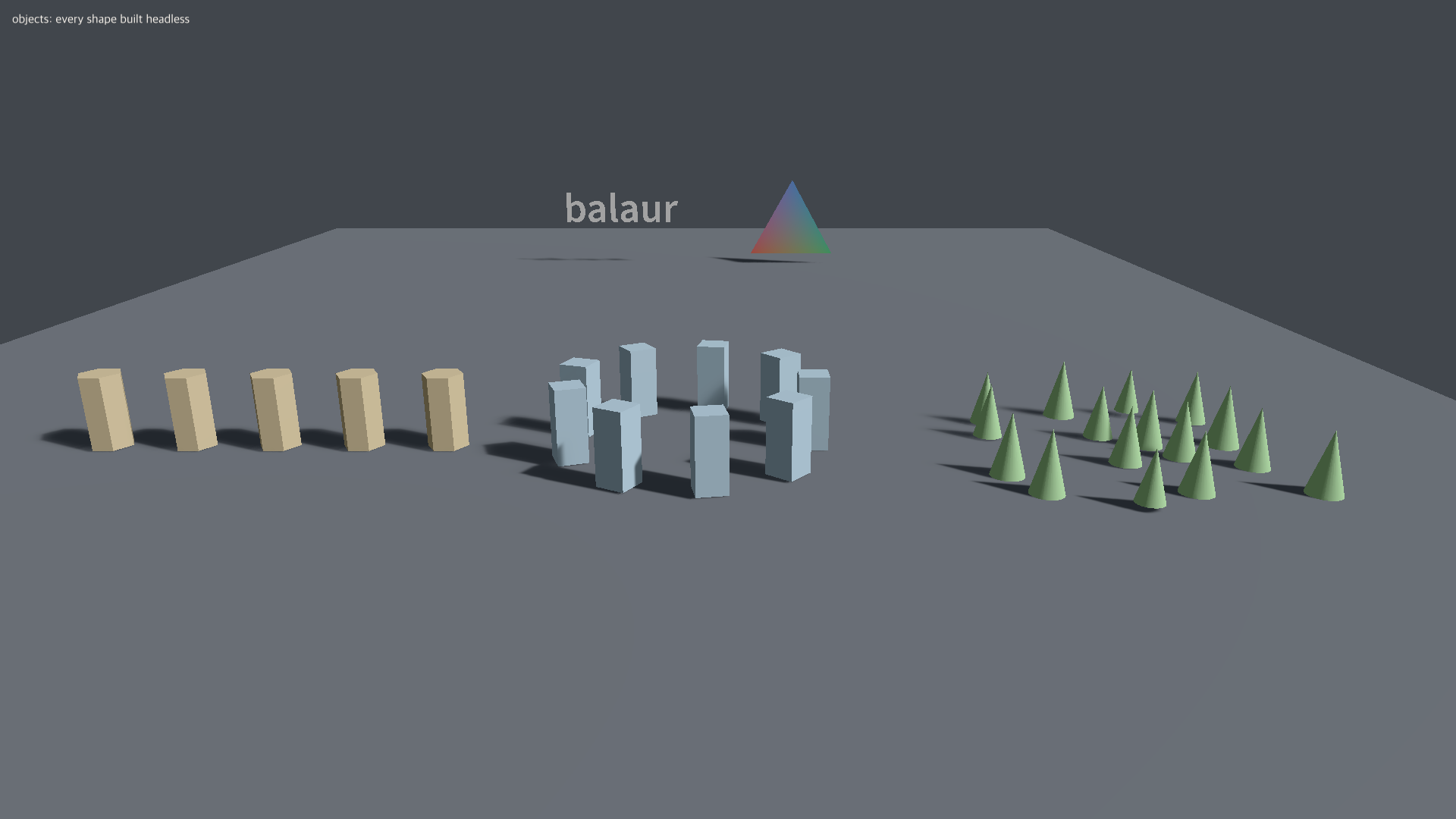
clonerdraws the node's subtree many times:linearwith acountand astep,radialwith aradiusand anangle(zero closes the ring), orgridwithcounts.seedand arandomrange scatter the copies.- Physics and scripts see one node. Each mesh is one draw call.
Vertex colours and morph targets
type = "material"
shader = "shaders/painted.wesl"
features = { vertex_color = true }
- A glTF's
COLOR_0and its blend shapes survive the import. - A morph weight is a component property, so a clip drives it as
mesh/morph.<name>. - Vertex colours reach a shader through a material with
vertex_color.
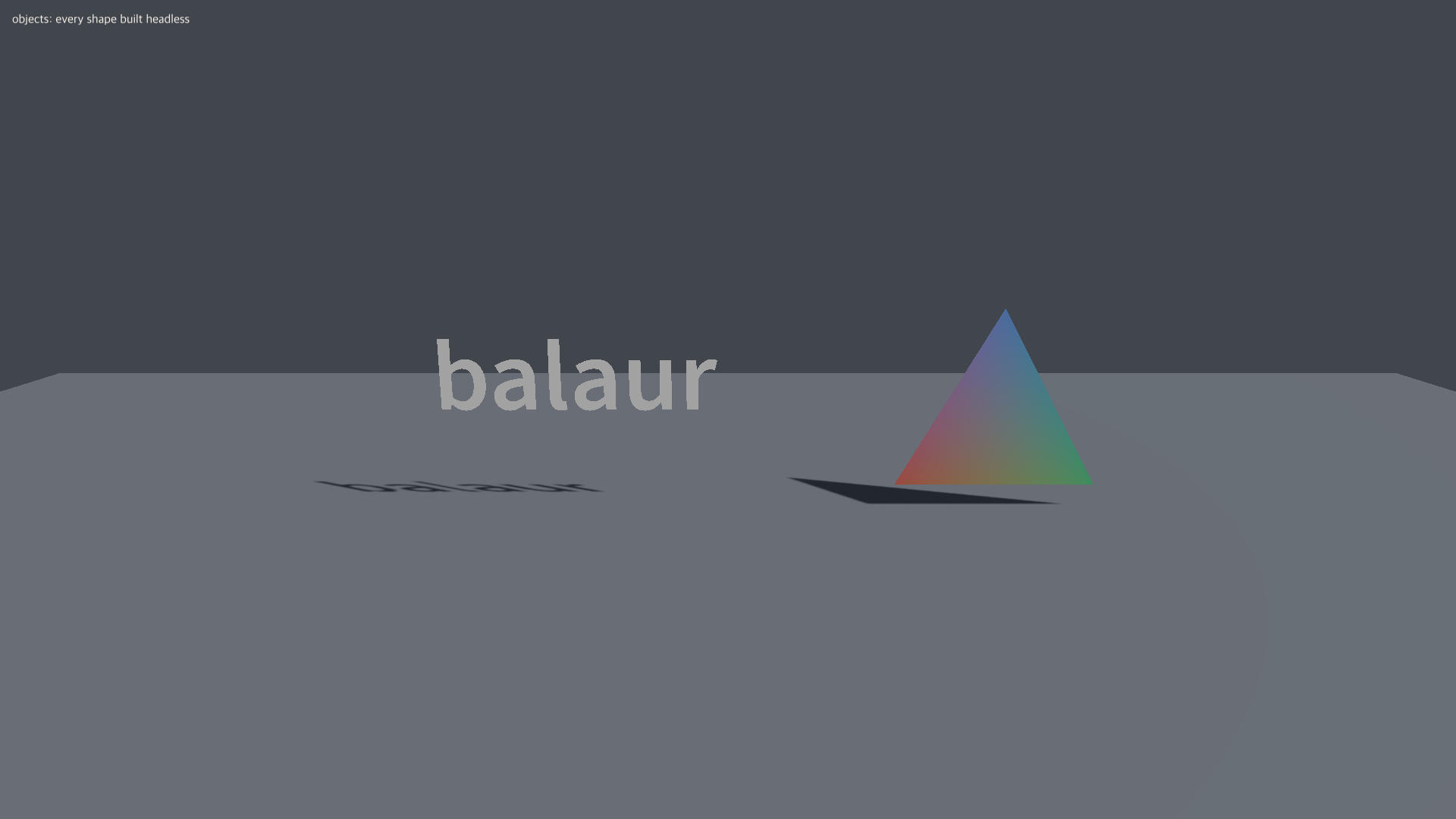
examples/objects has all of it, one row per category.
Reacting without a script
Three scene keys: [variables], states on a node, and bindings on a node.
[variables]
score = { type = "int", value = 0 }

[[nodes]]
name = "Door"

[nodes.states]
current = "shut"

[nodes.states.shut]
shape3d = { color = "#734f2b" }

[nodes.states.open]
shape3d = { color = "#4cbf66" }

[[nodes]]
name = "Ball"

[[nodes.bindings.rows]]
event = "pointer_click"
action = "add_variable"
target = "score"
value = 1

[[nodes.bindings.rows]]
event = "pointer_click"
when = "score >= 3"
action = "set_state"
target = "../Door"
value = "open"
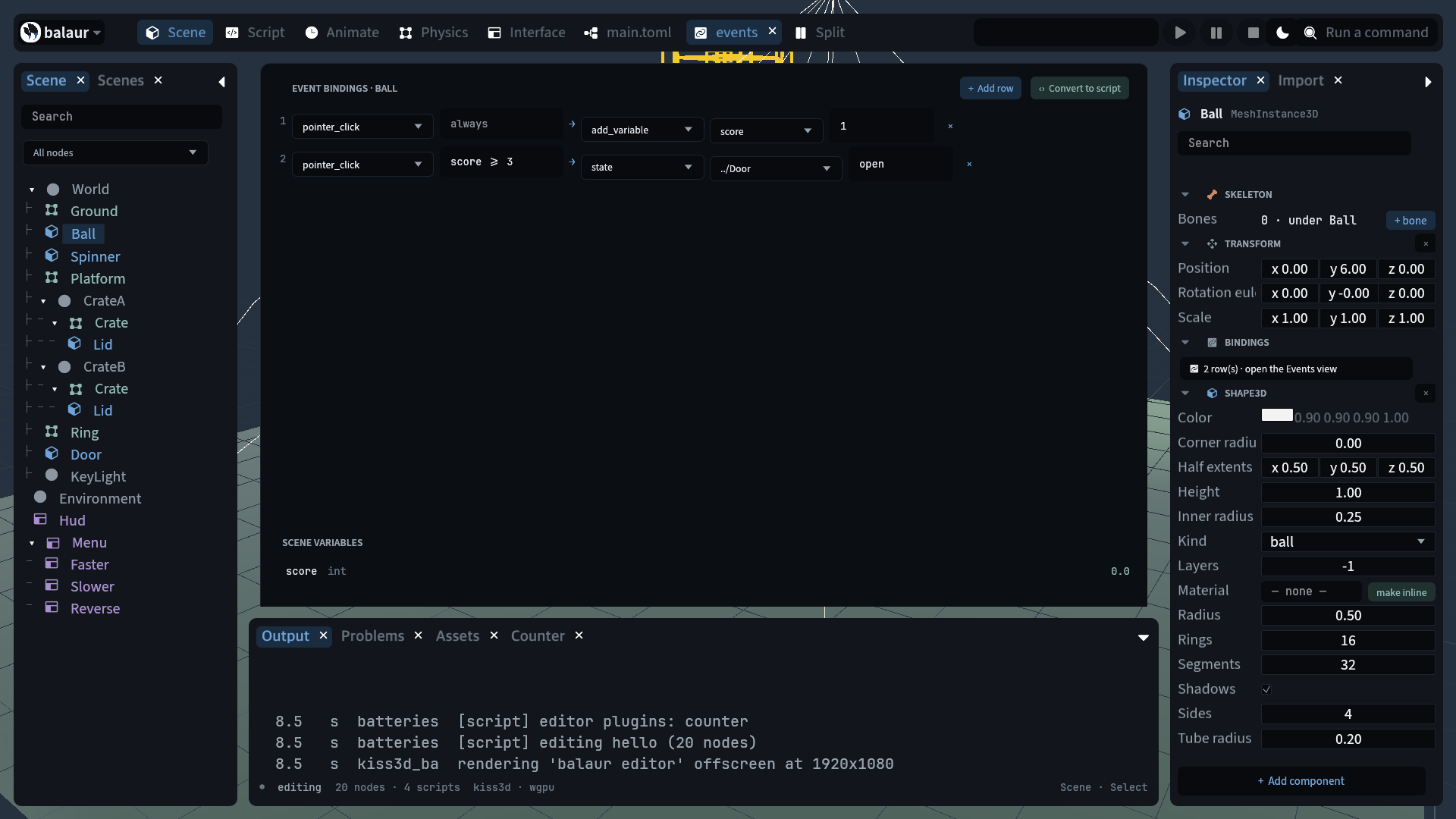
examples/hello carries exactly this.
| Events | Pointer enter, exit, down, up, click, drag, drop; key down and up; a declared action; scroll; resize; a variable or a state changing; a collision starting or stopping. Each also reaches the node's script as on_<event>, bindings first |
| Actions | state, set_variable, add_variable, play, sound, spawn, free, switch, open_url, emit, call, visible |
when | A comparison over the scene's variables, joined with && and || |
| States | A table of component properties patched over the node's own. node.states.set_state("hover") does the same from a script, and on_state_changed(from, to) follows |
- The Bindings view writes these rows. Convert to script writes the Rune they mean, one function per hook.
- A node may carry both. Bindings run first.
- Pointer events need a window. Key, action, scroll and variable events fire headless.
Import settings
art/hero.png.import.toml holds the import settings for art/hero.png.
# art/hero.png.import.toml
filter = "nearest"   # pixel art, drawn crisp
srgb = true          # false for a normal map or a mask
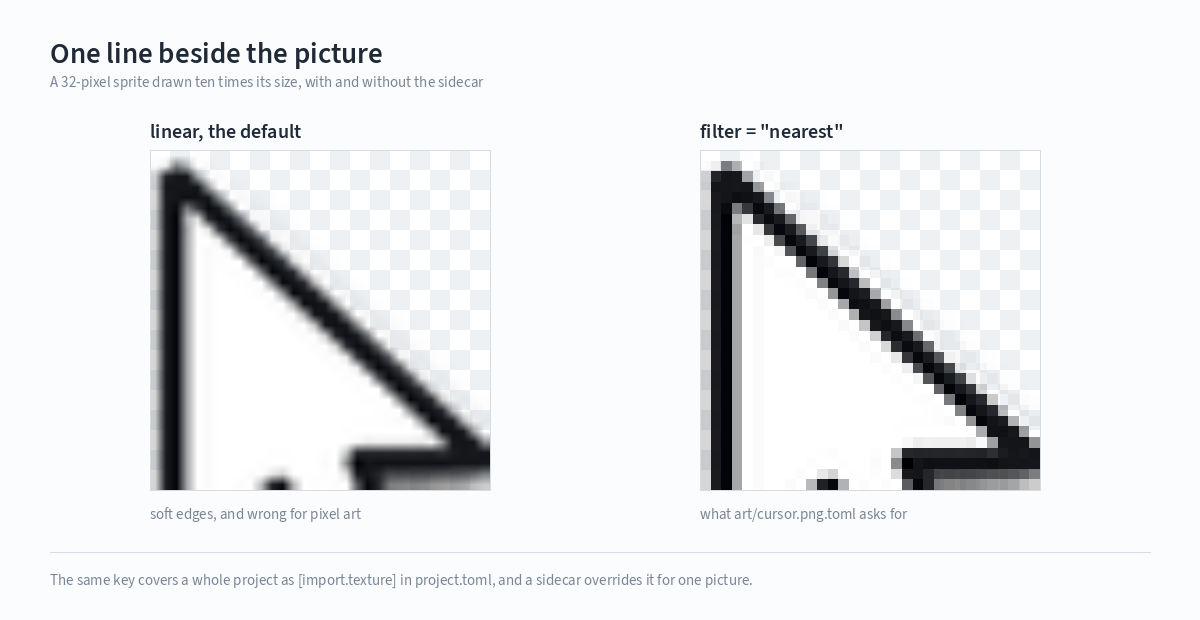
# project.toml: the default for every file of a kind
[import.texture]
filter = "nearest"
- A sidecar overrides the project default key by key.
- A file's kind comes from its extension:
texture,audio,font,model. recodeis read by the exporter and overrides the project's export mode for one file.

- Select a picture in the Assets dock. The Import tab shows one row per key and says whether the value is the file's own, the project's or the engine's default.
- Clearing a row drops the key. A sidecar with nothing left is deleted.
- Settings change pixels, never sizes. A sprite takes its extent from the image header. Downscaling art for a phone is an export key.