The editor
A Balaur project. Its scripts draw the interface through the ui module, and
editing one hot reloads the editor. Every binding it uses (filesystem access,
TOML parsing, scene instantiation, script reload, camera control, debug
drawing) is available to any project.
balaur edit my-game
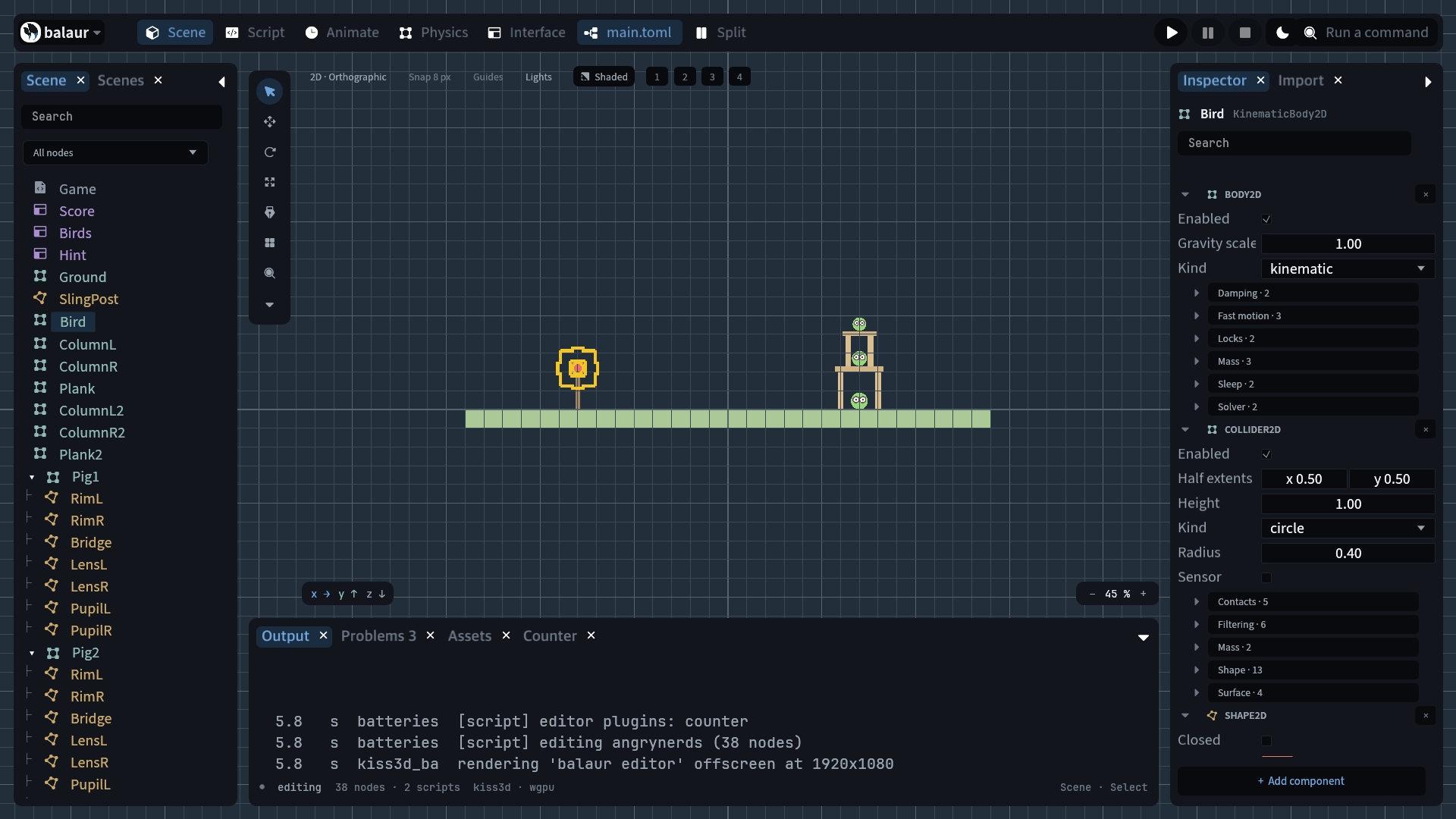
The project manager
Started with no project, the editor opens on the manager. It has three tabs: the projects this machine has opened, the examples that ship with the editor, and the engine build itself. It is a screen of the editor rather than a window of its own, so it hot reloads like the rest of the shell and works on a phone.
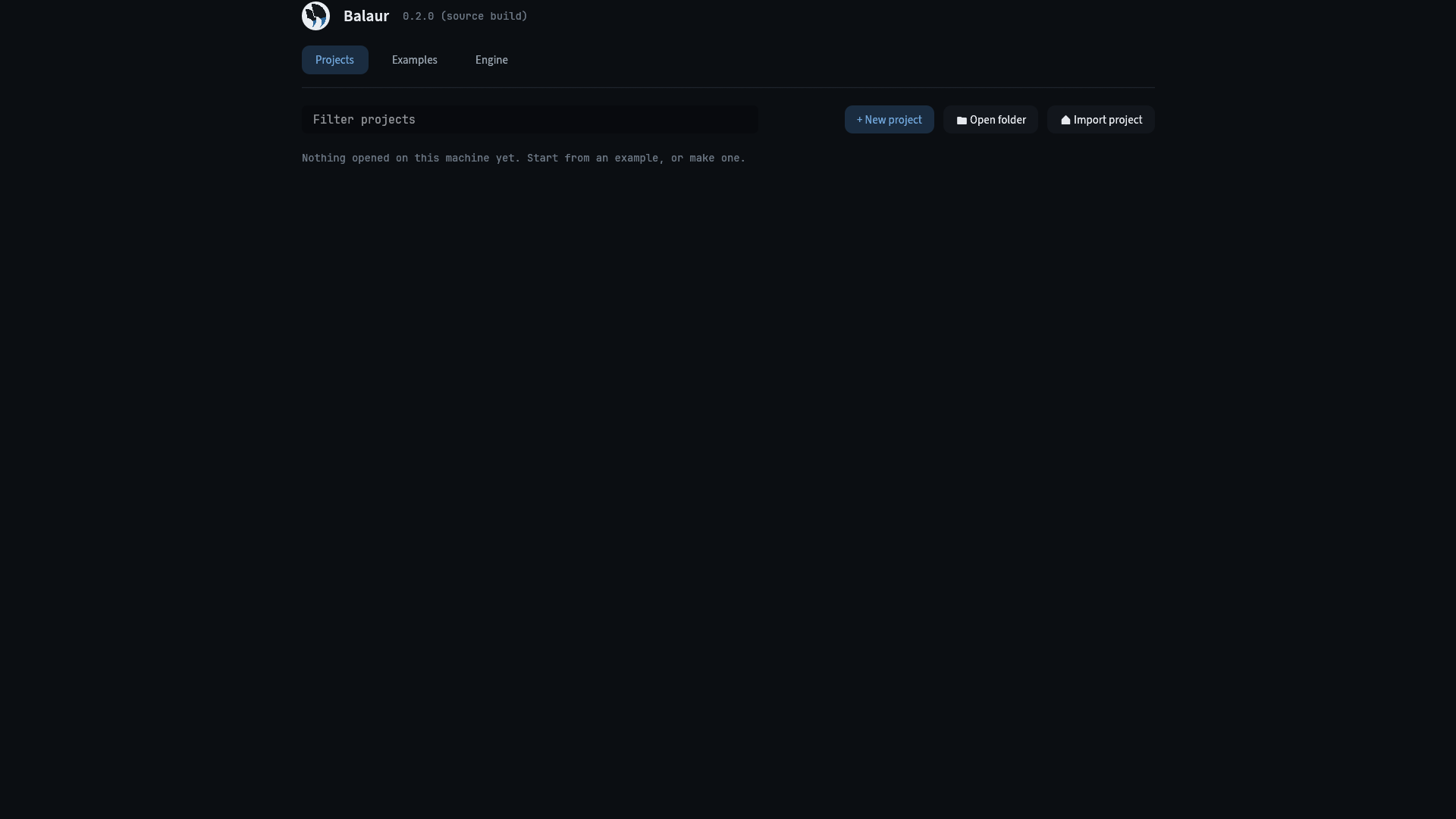
A row says when it was last opened and which engine opened it. A project whose folder has gone stays in the list and says so, because a missing one is usually an unplugged disk. New project opens a dialog; Open folder and Import Godot use the platform's own folder picker.
Opening a project starts the editor on it and closes this one. One process is one project, because the export and import modules and the file root are built for the project the editor booted with.
Open project…, New project… and Recent projects… are in the command
palette, so the manager is reachable without closing what is open. Opened that
way, it has a Back button, and Escape returns to the project.
Examples
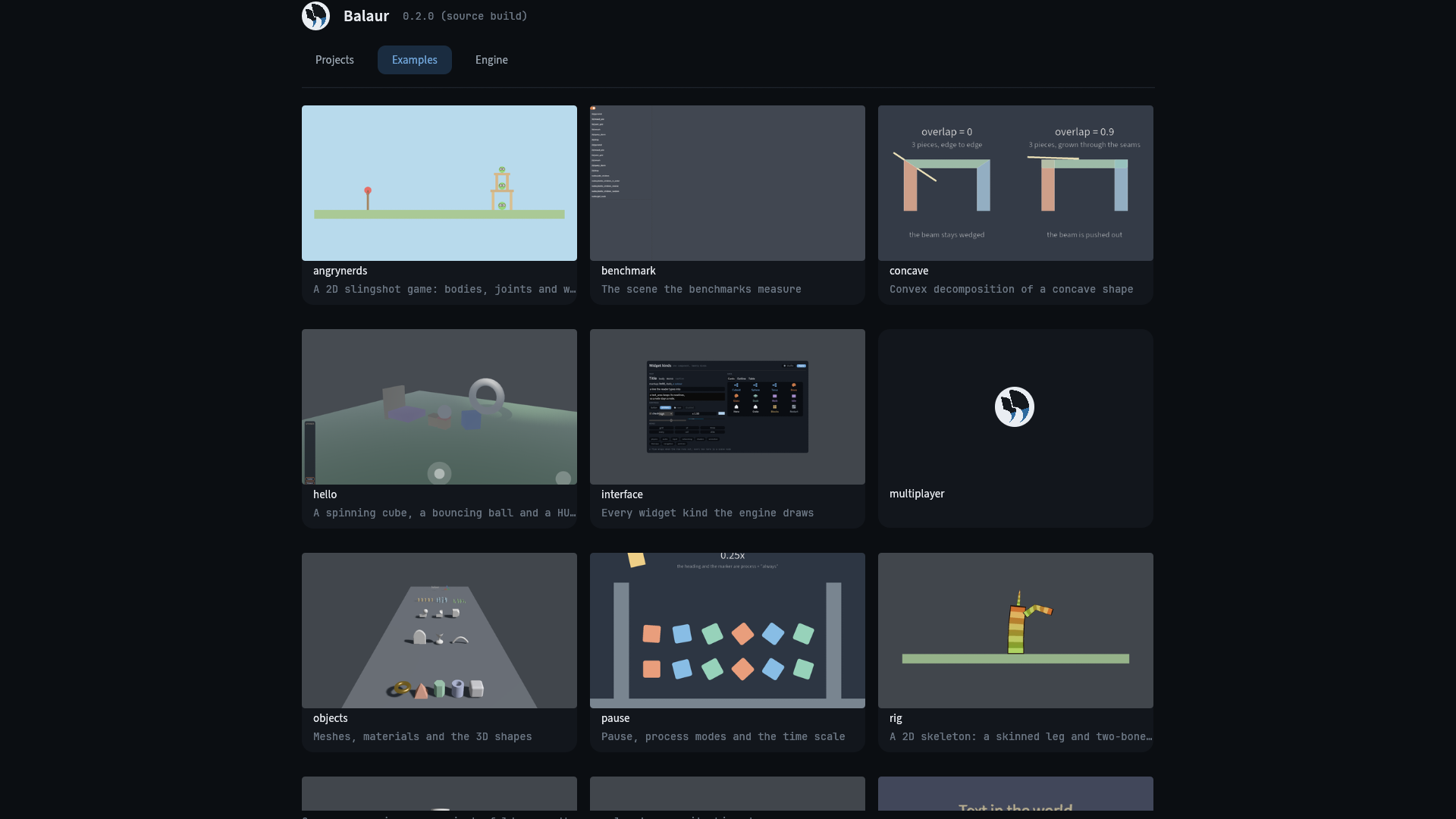
The example projects ship beside the editor. Opening one copies it into your projects folder and opens the copy, so the shipped example stays as it was and a second copy is a second project.
Engine versions
The manager's third tab is the build itself: which version this is, which
channel it follows, and every release that channel has published. Opening the
tab reads the release feed once; installing replaces the whole install, which
is what balaur update does from a terminal.
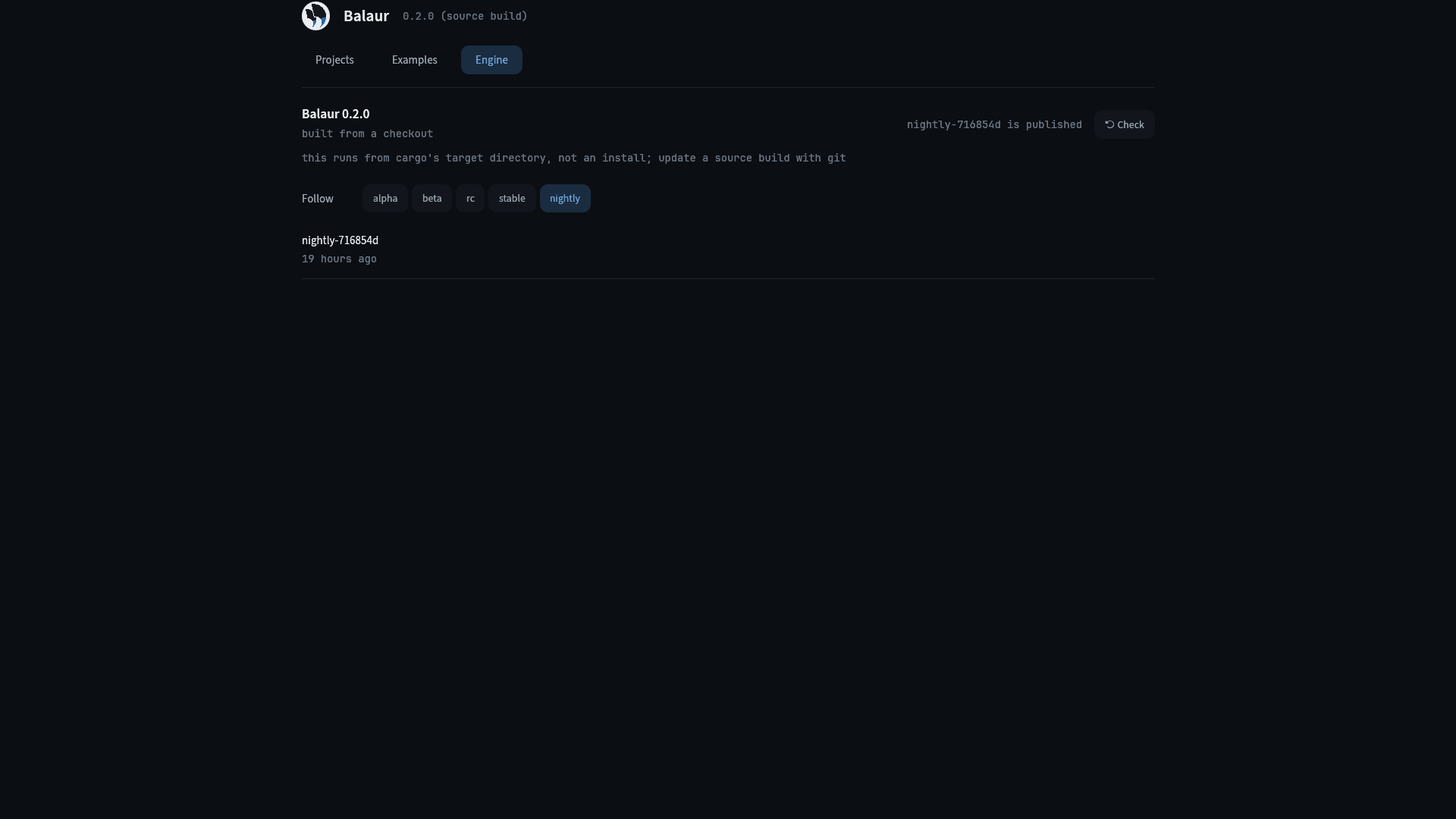
Follow picks the line: alpha, beta, rc, stable or nightly. The
releases under it are that line's, newest first, with the installed one marked.
Each button says which way it goes, Install or Downgrade, and a release can
also be named exactly. An install downloads in the background with a progress
bar; restart to use it.
A build from a checkout belongs to no channel and says so. An install that cannot replace itself says why before offering anything: a macOS bundle offers the release's disk image to download, and a cargo target directory offers nothing.
About Balaur
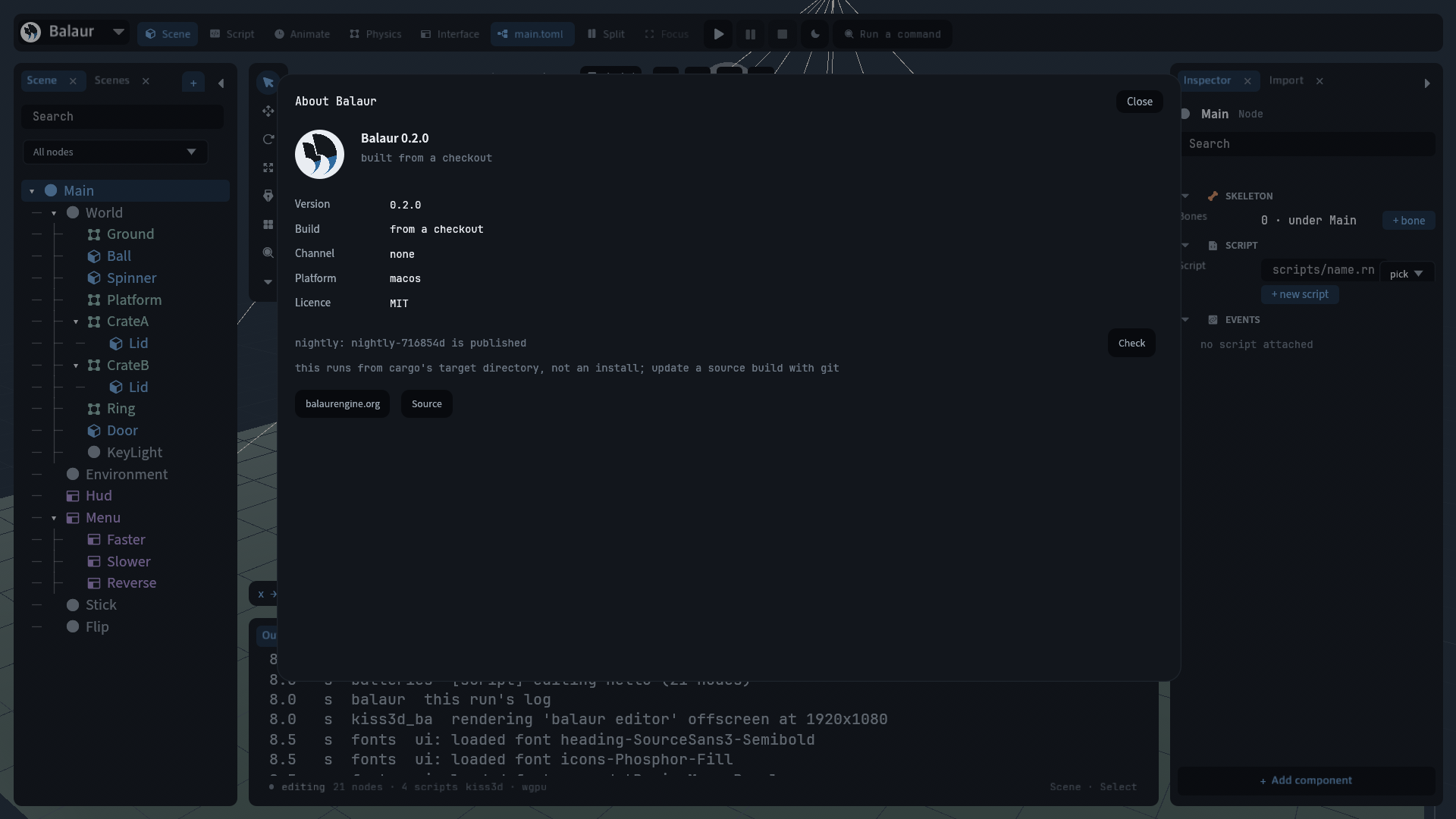
About Balaur, in the menu under the logo, shows the version, build, channel, platform and license. It checks the build's own channel once and offers the newest release on it, through the same code as the Engine tab.
The document and the mirror
- The scene TOML is parsed into a document model and mirrored as a node subtree. The viewport shows the scene and physics builds the bodies, paused until play.
- Edits are written back as TOML. Every one is undoable (
⌘Z,⇧⌘Z). - Play-in-editor attaches the game's scripts to the mirrored nodes and unpauses.
- Every run is recorded. See Determinism.
- Stop rebuilds the mirror from the document.
Workspaces
The top bar switches between five workspaces. Each arranges the same panels (node tree, viewport or code, docks, inspector) around one job.
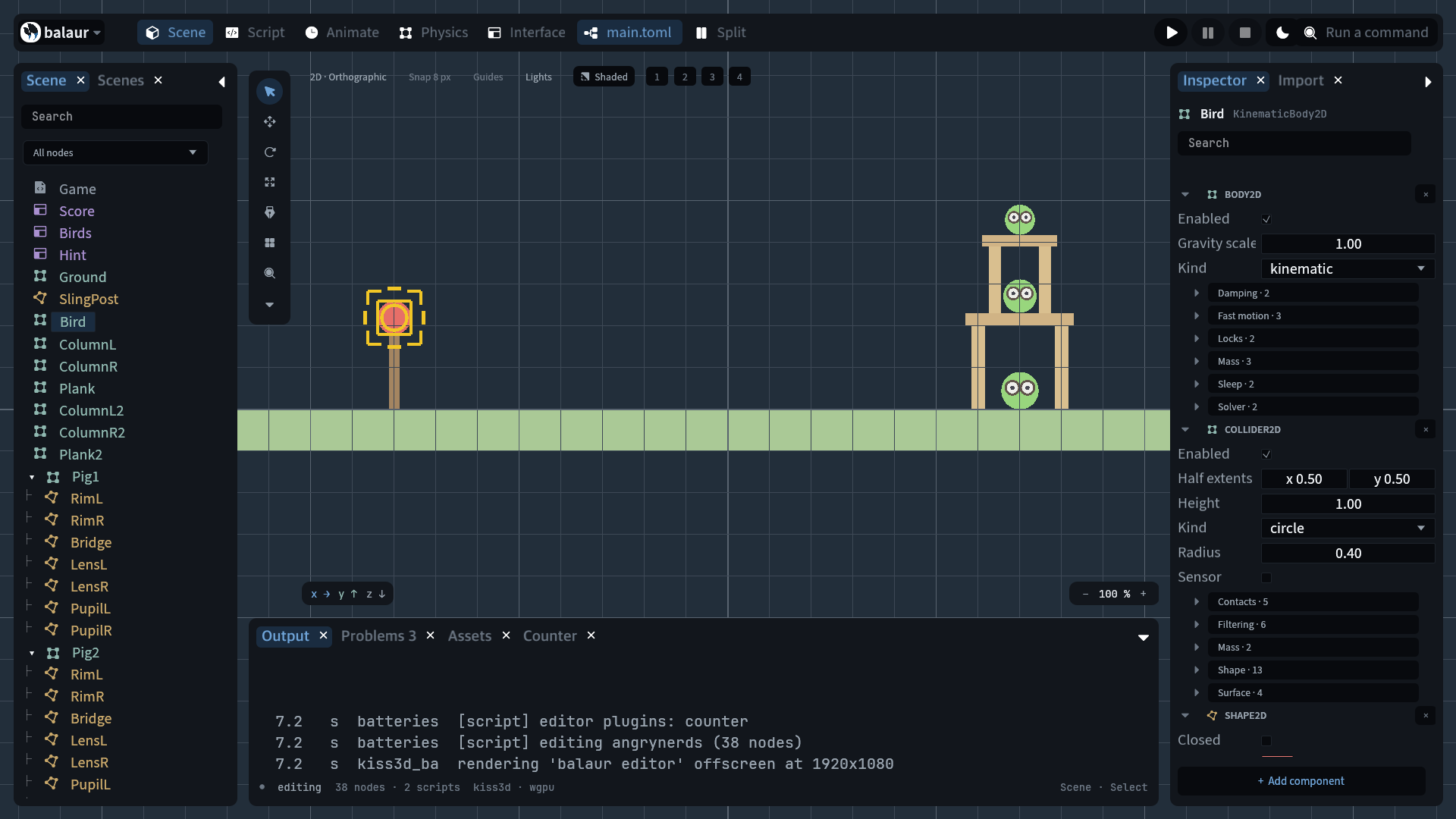
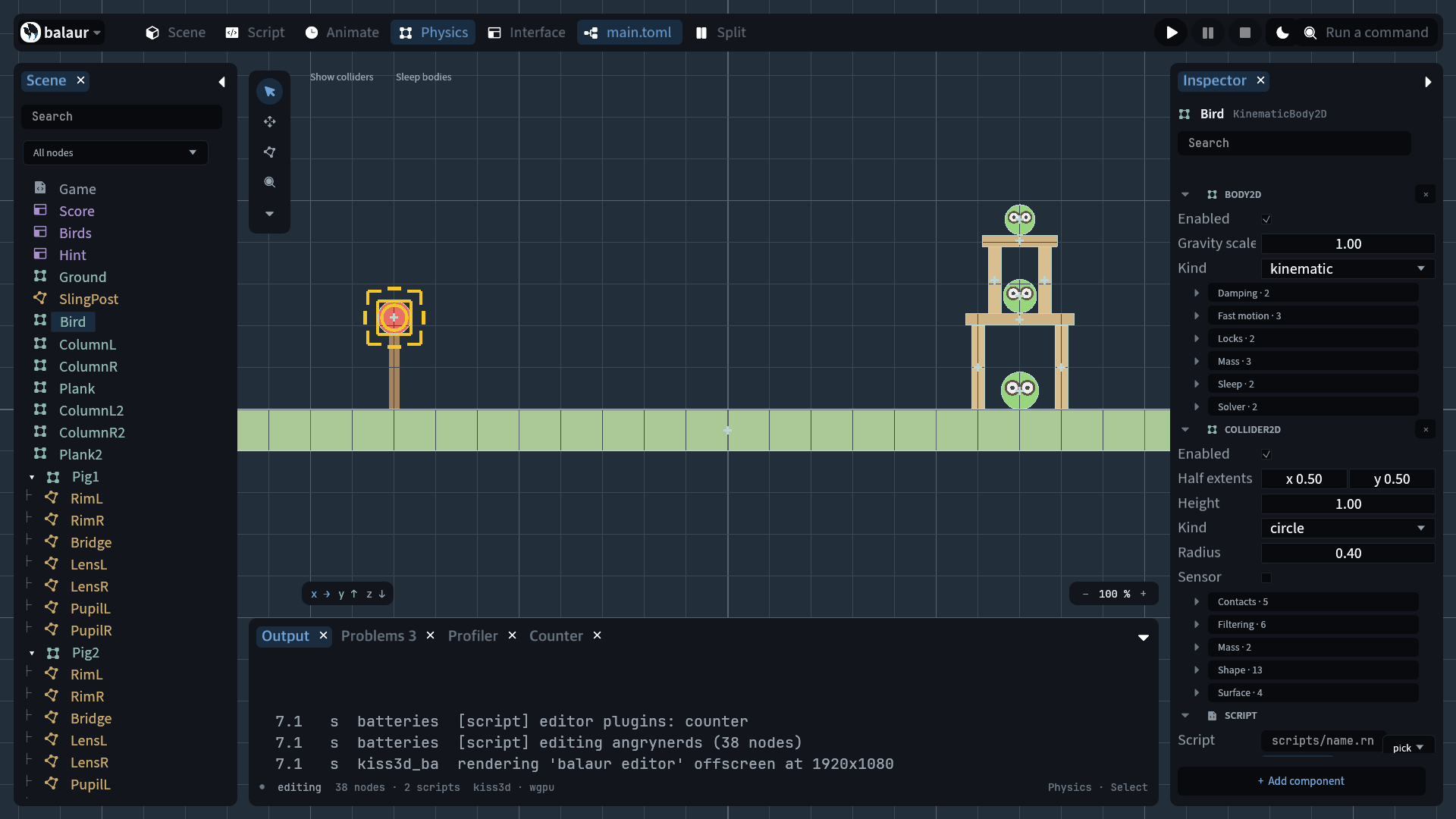
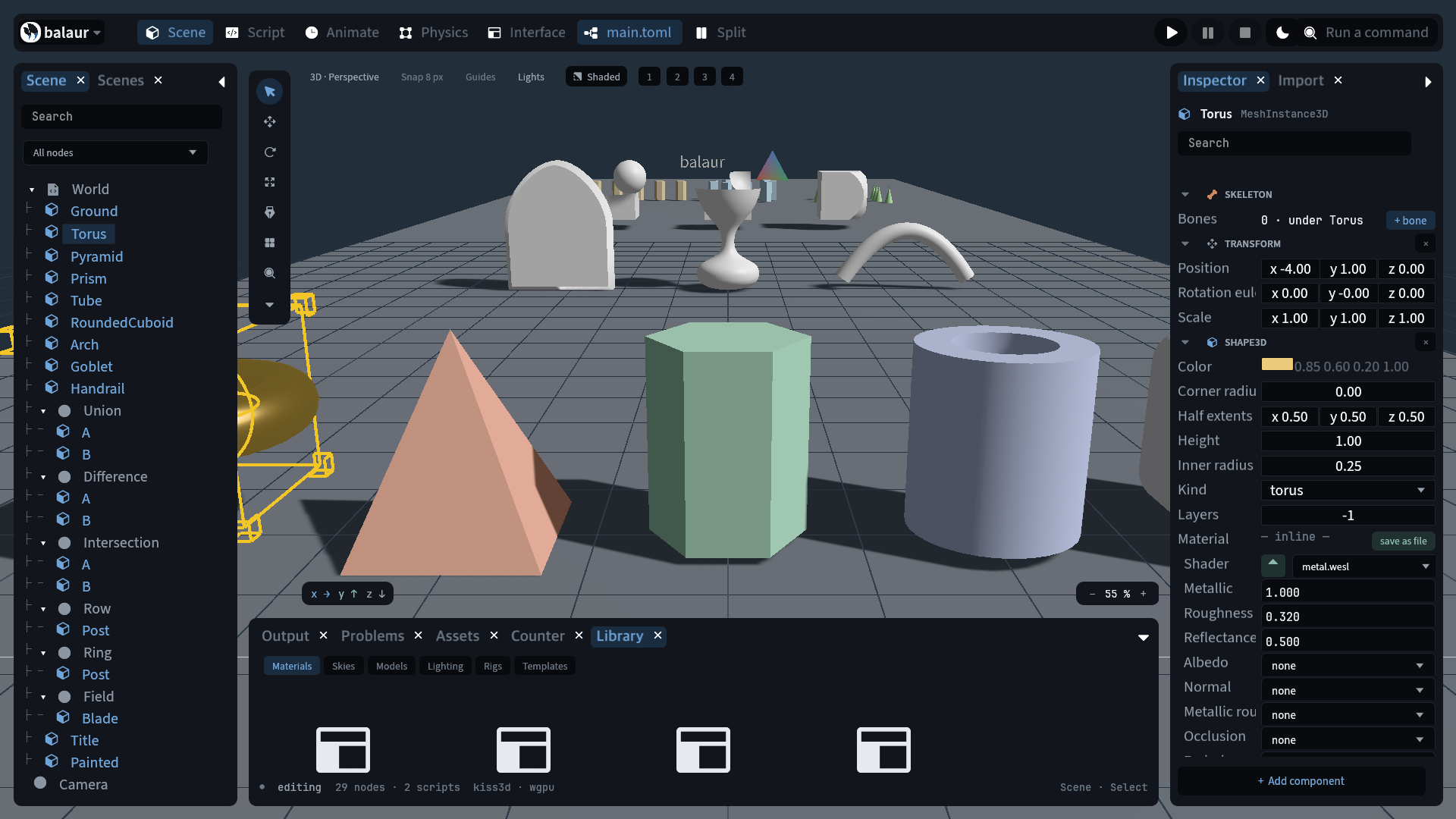
- Scene: the tree, the viewport with its gizmos, and the inspector generated from the component registry, third-party components included. A 2D scene gets a 2D grid, a pan-and-zoom camera, a 2D gizmo, click-picking and collider overlays. See Scenes and nodes.
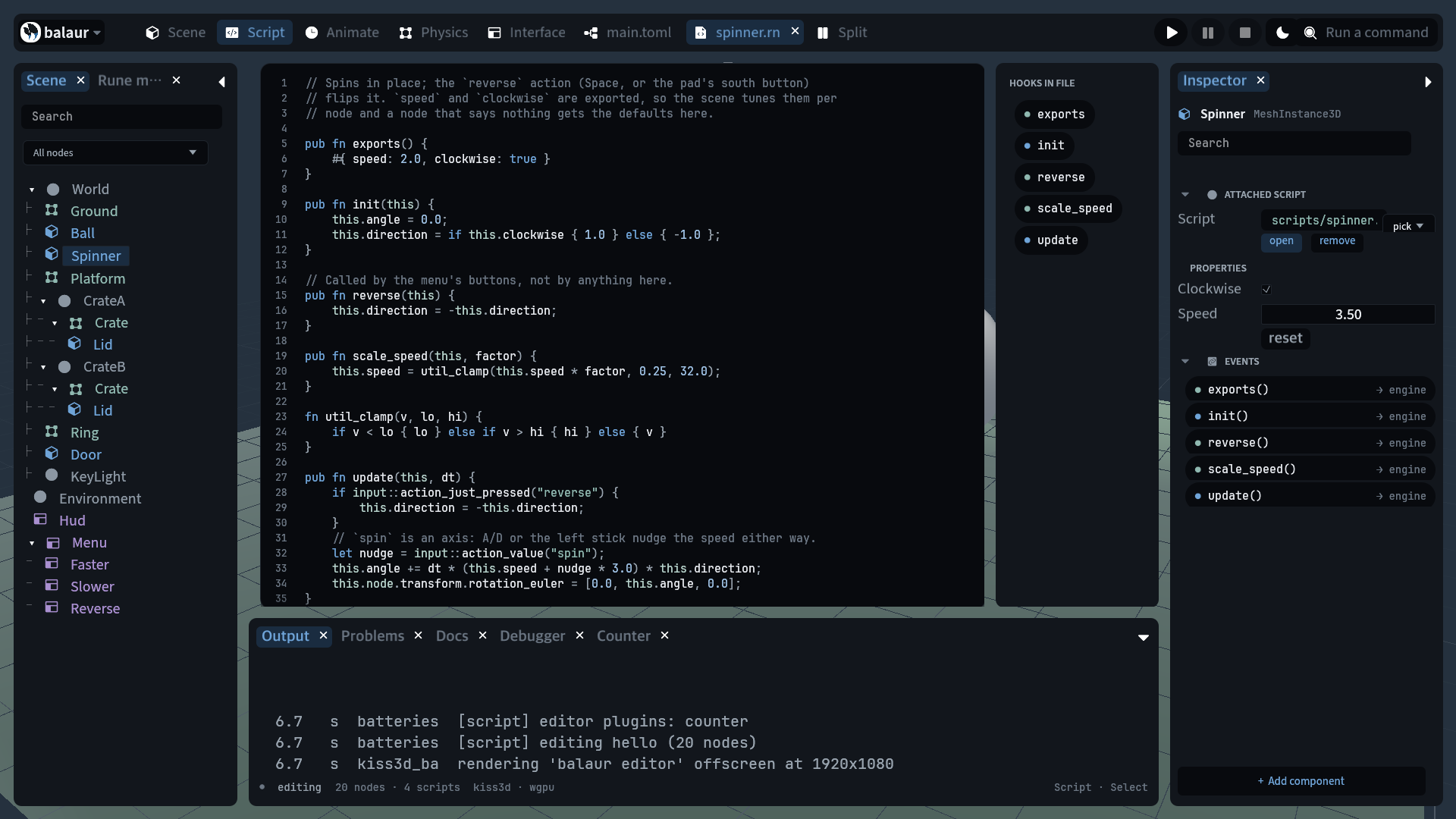
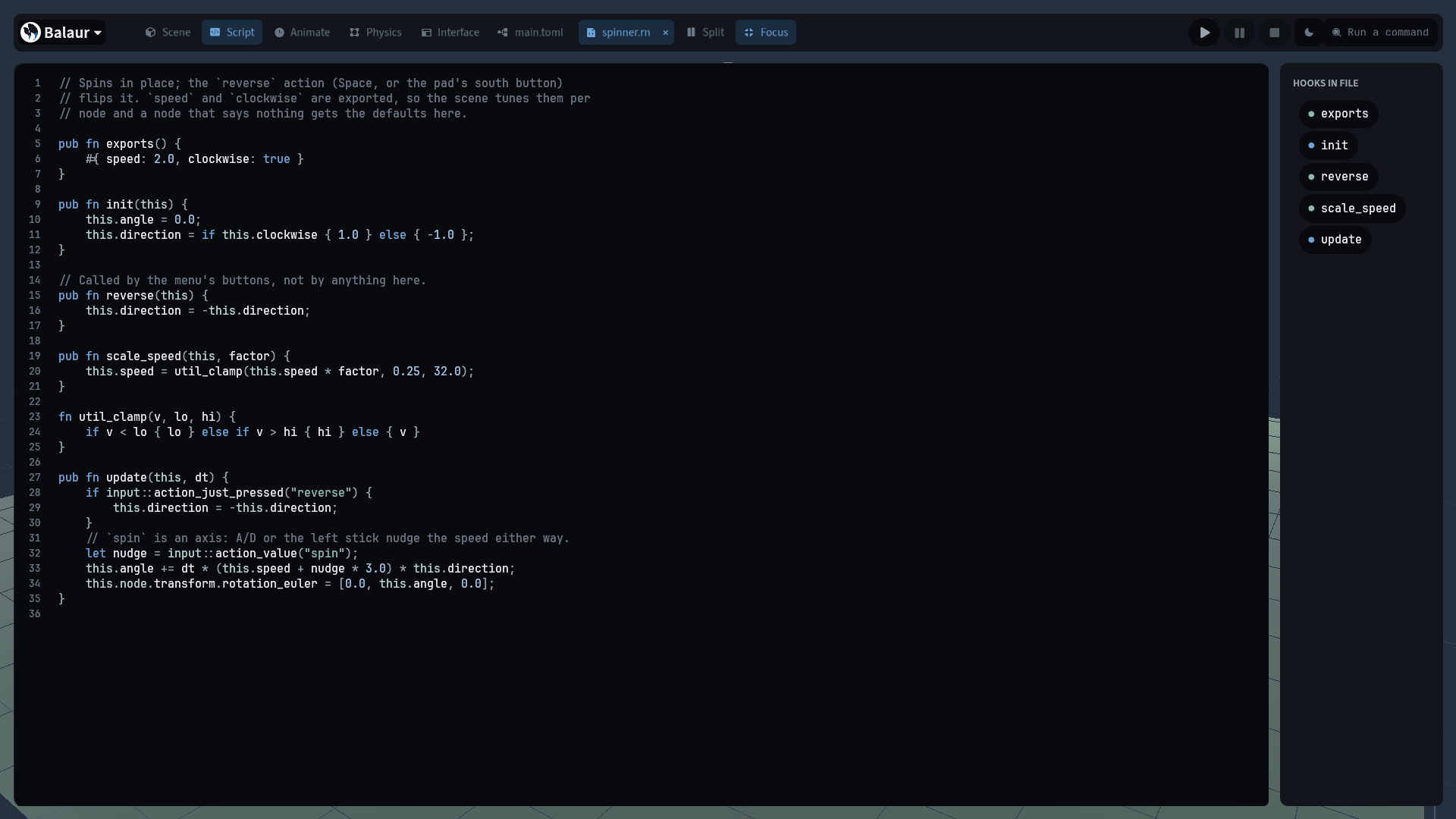
- Script: one buffer per file with Rune highlighting, the hooks the file
declares, and the events the node receives. Save writes to the project and
hot reloads the code, while playing too. A click on a line number sets a
breakpoint. The Debugger dock shows frames and locals; continue and step
over / into / out are
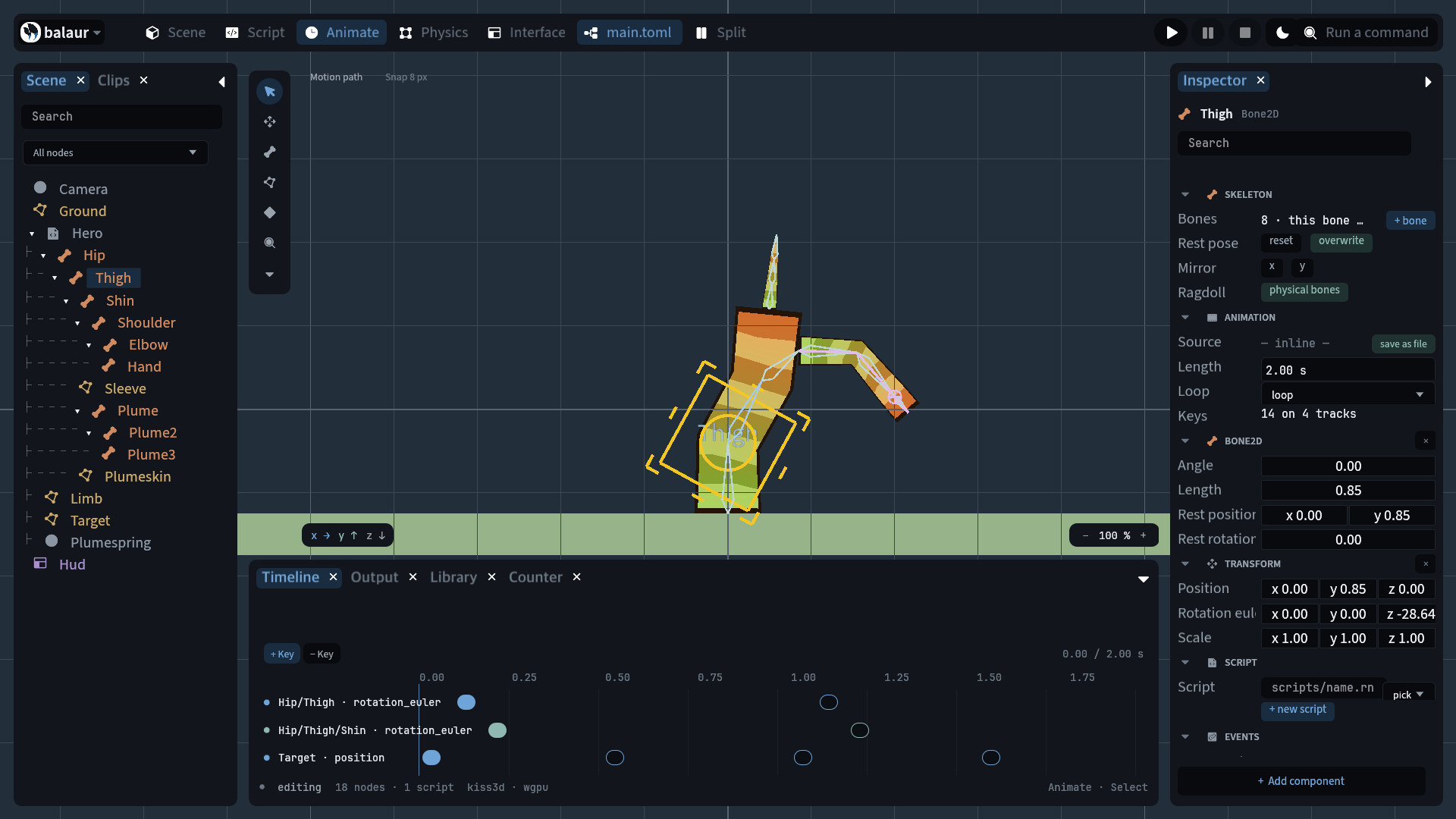
F5,F10,F11andShift+F11. See Scripting. - Animate: the timeline over the selected clip's tracks. See Animation.
- Physics: bodies and colliders with their overlays. See Physics.
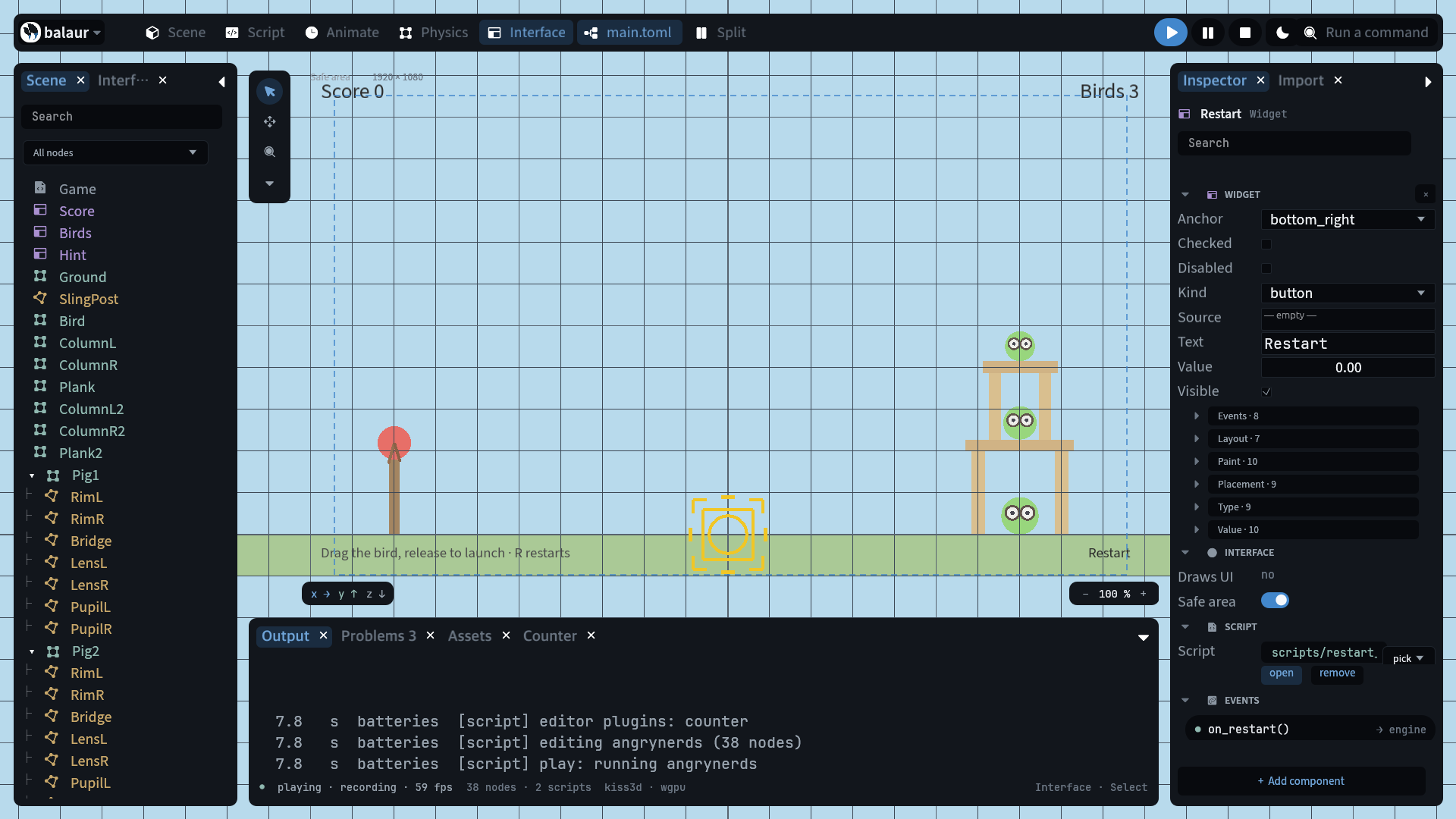
- Interface: widgets laid out over the safe area. See UI.
Selecting
The selection is a set. Its first node is the active node.
- Shift or ⌘ click a row or a node; drag on empty viewport to box-select. Every node in the set is lit in the tree, not only the active one.
- A right click on a row picks it and opens the node's own menu: add a child, move it among its siblings, attach a script, duplicate, hide, lock, delete.
- A gizmo drag moves, turns or scales the set about its centre.
⌘Ggroups at the centroid keeping every world pose,⇧⌘Gungroups.- Six aligns and three distributes, in the palette.
Hhides,⌘Llocks,/isolates. Hidden writes the node'svisible; locked is editor state the gizmo and box select skip.- The inspector shows the active node's rows and writes to every selected node that carries the same component.
Tools
The strip beside the viewport: Select, Move, Rotate, Scale, Pen, and two rig tools. Rig bone grows and poses a skeleton. Polygon edits a skinned polygon's points, triangulation, UVs and weights. Both are under Skeletons and skins.
Pen edits a path2d asset in place: click adds an anchor, drag pulls its
handles, alt breaks the pair, right-click removes one, and clicking the first
anchor closes the path.
Asset imports
A file dropped on the window becomes a node.
- An image lands under
art/, as a sprite in 2D and a textured plane in 3D. - A
.glb,.aseprite,.tmxor.ldtkgoes throughbalaur import, and the scene it wrote is instanced. - A
.weslbecomes a shader and the material that names it. - An
.hdrbecomes the environment's sky. - A scene file is instanced as a prefab; a font lands under
fonts/.
Docks, palette, themes
Eleven docks sit under the viewport.
- Output: the engine's log ring buffer, with level filters.
- Problems: what the linter found in every script, and a shader that would not link.
- Assets: the project's files.
- Docs: the script reference, module by module, from the running engine.
⌘Bon an engine call opens it. See Tooling. - Timeline: the animation editor's.
- Debugger: a paused script's frames and locals.
- Recordings: play-in-editor's recordings. It replays one, with lanes for its input, network and log events.
- Profiler: a row per stage of the last frame, with its cost and a bar
against the 16.7 ms of a 60 Hz frame, from
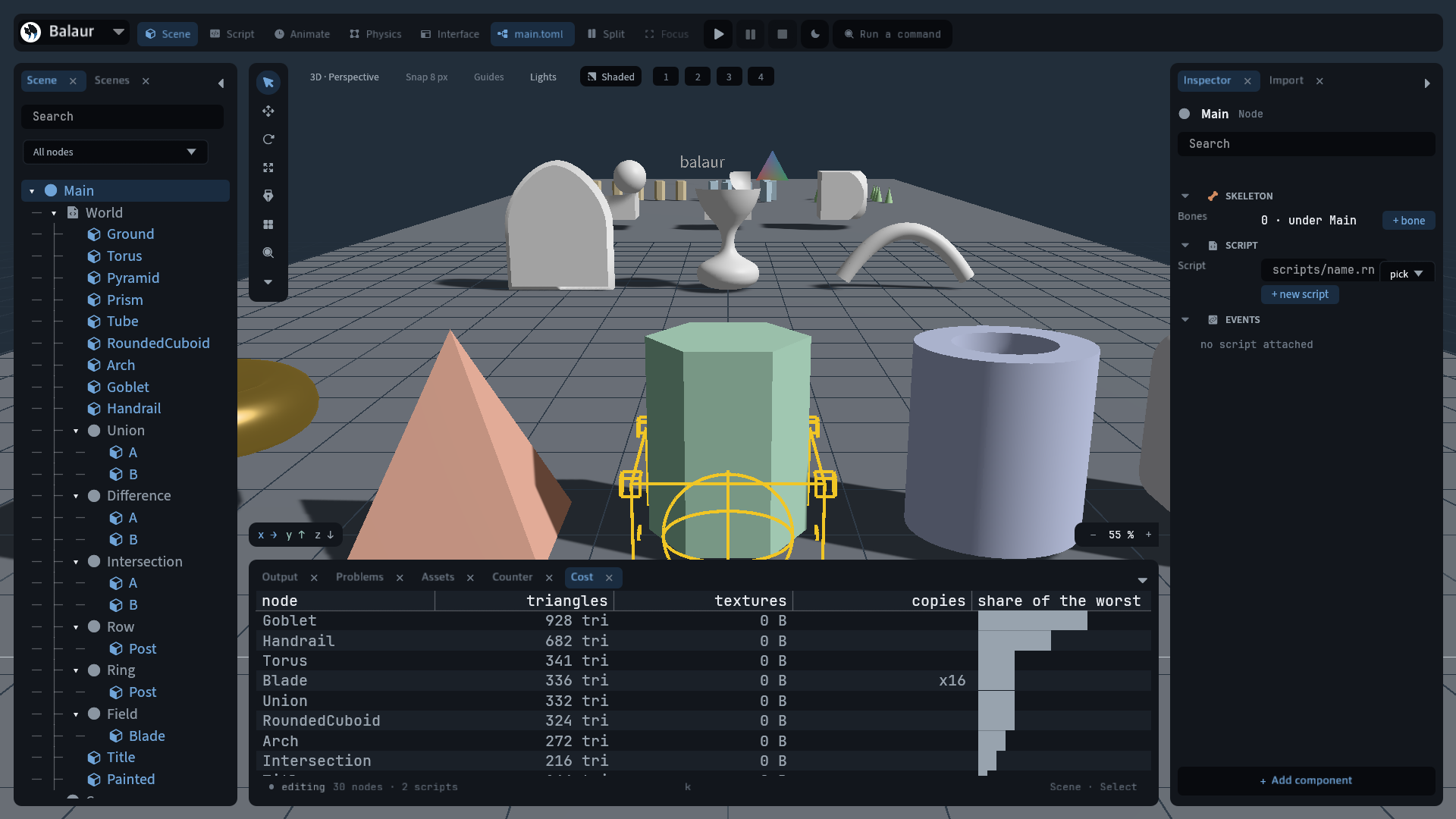
engine::timings(). - Cost: what the frame draws, from
render::stats(), in named columns: triangles, texture bytes and a cloner's copies, per node. - Library: stock materials, skies, models, lighting setups, camera and
control rigs, and project templates. Clicking a material copies it in and
points the selected node at it. A sky is copied under
skies/and named on the scene's environment. A model, a lighting setup or a rig is instanced as a prefab; a rig brings its script. The skies are gradients and the models are primitives. The library is kilobytes and carries no third-party licence.
- Every
⌘chord in this manual answers to Ctrl as well, on every platform and in the browser. - The command palette (
⌘K) lists nodes, commands and workspaces. - Focus (
⇧⌘\) gives the code the whole window: the three docks fold, the split goes off, and the file's hooks stay beside the pane. A second press restores the layout. Opening a panel keeps the panel and ends focus; so does leaving the code tab.
- Dark and light themes.
- Show input overlay draws the keys, buttons and pointer the game is being fed. See Input.
Start-up states
The editor starts in any state named on the command line.
balaur edit examples/rig --offscreen --frames 100 \
  --state "anim,select:Thigh,tool:bone,shot=thigh.png"
--stateis a comma list: a workspace (scene,script,anim,phys,ui),select:<node>,tool:<id>,mode:<id>,dock:<name>,zoom:<percent>,palette,light,play,input,focus,manager,examples,versions,about.shot=<file>captures one frame.frames=<dir>captures every other frame into a numbered directory.show:<name>runs a scripted sequence (this manual's clips). It feeds input throughinput::feed_key,feed_mouseandfeed_mouse_button.- Offscreen frames advance on the fixed 1/60 step. Frame 90 is the same picture every run.
- The engine repository's
scripts/showcase.shtakes every image and clip on this site this way.
Extending the editor
A plugin is a Rune file adding docks, windows, palette commands, inspector sections, property editors, viewport overlays and start-up states.
editor/plugins/ships with the editor. A project'seditor/directory is that game's own.- An addon brings its own: every
addons/<name>/editor/loads while the project carries that addon. The Gamend dock arrives this way. - All of them load at start-up, in name order.
- A plugin declares
register(), returning what it adds, and optionallystate(), whose object lives atS.plugins.<name>.
// mygame/editor/counter.rn
pub fn state() {
    #{ shown: -1 }
}

pub fn register() {
    #{
        docks: [#{ id: "counter", name: "Counter", draw: draw }],
        commands: [#{ label: "Count scripted nodes", icon: "Σ", run: count }],
    }
}

pub fn count(S) {
    let n = 0;
    for node in S.doc {
        if node.contains_key("script") {
            n += 1;
        }
    }
    S.plugins.counter.shown = n;
}

pub fn draw(S, k, host) {
    let empty = S.kit.empty_row;
    let rows = S.kit.put_rows;
    rows(S, host, "body", [empty(format!("{} scripted nodes", S.plugins.counter.shown))]);
}
S is the editor's whole state, the same object every built-in module gets:
the document (S.doc), the live mirror, the selection (S.sel), history and
the theme. Call the history recorder before mutating the document.
Each list is optional.
dockstake adraw(S, k, host),windowsadraw(S, k)andcommandsarun(S). A dock withtall: truemakes the bottom dock grow while it is open.sectionsaredraw(S, k, node), drawn under the built-in inspector.overlaysaredraw(S)and draw viewport lines.editorsmap a schema datatype todraw(S, k, target, spec, value), replacing the built-in editor for that type.statesmap a name torun(S): a plugin's own start-up state.
A dock is a node. The editor makes each registered dock a subtree and hands
draw its path: a head for verbs, a side for pages, a body of rows and
a foot. A plugin fills it with S.kit, the editor's own parts. A plugin
cannot use the editor's modules, so each part is a stored function: bind it
to a local, then call it.
| Part | What it does |
|---|---|
put_bar(S, host, name, controls) | Puts a row of controls on head, side or foot |
put_rows(S, host, name, specs) | Puts rows on the body; a spec is #{ label, controls } |
area_node(host, name) | The node itself, to add children to or read a rect from |
tabs(S, host, id, names) | A row of tabs across the head, and answers the open one |
pages(S, host, id, groups) | A sidebar of pages, and answers the open one |
tree_rows(S, id, value, opts) | A map or list as rows; edit makes leaves fields |
field_row(S, label, value, opts) | A labelled value; mask hides it, copy adds a copy button |
heading_row(title), empty_row(text) | A heading, and what an empty panel says |
file_rows(S, id, opts) | A folder's files; TOML and JSON open as editable trees |
user_data_directory(S), save_editor_settings(S) | The game's user data folder, and a write of the editor's settings |
short_path(path) | A path with the home folder written as ~ |
pub fn draw(S, k, host) {
    let field = S.kit.field_row;
    let rows = S.kit.put_rows;
    rows(S, host, "body", [
        field(S, "token", "abcd1234efgh5678", #{ mask: true, copy: true }),
    ]);
}
A control is the widget table the editor's own rows are built from, plus an
on the editor calls with what the reader changed. The controls are nodes:
they take theme roles, and the same layout places them.
A floating window still draws. windows takes a draw(S, k) and the ui
verbs, because a window has no node of its own yet.
The editor's User data dock is files over the open game's user data
folder. Saves and prefs open there as structures you can edit. A game played
in the editor writes to that same folder.
A plugin runs unsandboxed in the editor's host, with the editor's capabilities.